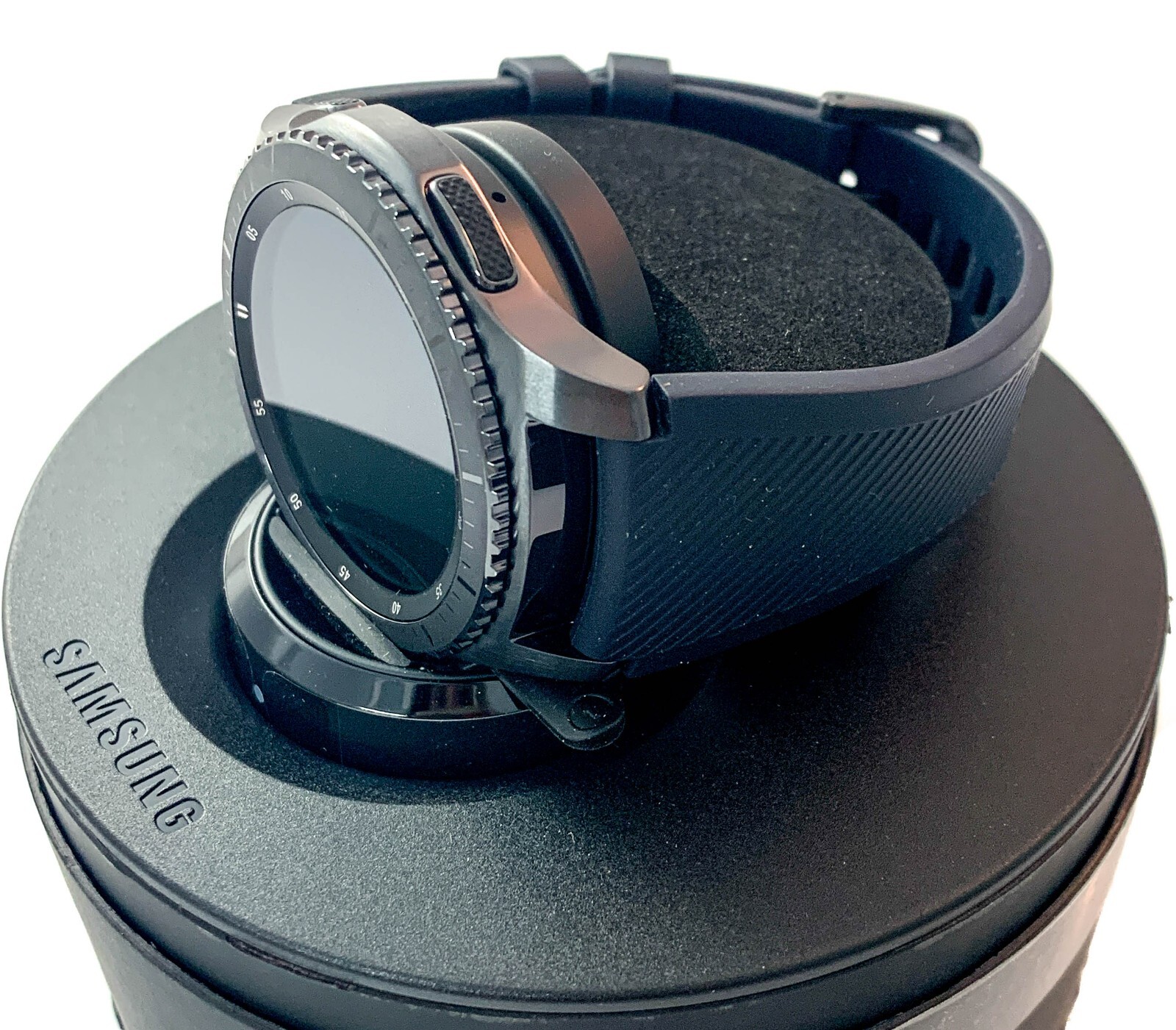
Are you curious if your Gear S3 Frontier can keep an eye on your sleep? Understanding how well you rest is key to improving your health and energy.
But does this popular smartwatch actually track your sleep patterns accurately? You’ll discover exactly what the Gear S3 Frontier can do when it comes to sleep tracking—and whether it’s the right choice to help you get better rest every night.
Keep reading to find out how your watch might become your new bedtime companion.
Credit: www.att.com
Gear S3 Frontier Sleep Tracking Features
The Gear S3 Frontier offers a range of sleep tracking features designed to help you understand your sleep patterns better. It gathers detailed data throughout the night, aiming to provide insights that can improve your rest. Knowing exactly what it tracks and how it works can help you make the most of your device’s capabilities.
Sensors Used For Sleep Monitoring
The Gear S3 Frontier relies on a combination of sensors to monitor your sleep. It uses an accelerometer to detect your movements, which helps identify when you’re asleep or awake. Additionally, the heart rate sensor tracks your pulse, giving clues about your sleep quality and cycles.
These sensors work together silently while you rest, collecting data without disturbing you. Have you noticed how some devices feel bulky or uncomfortable at night? The Gear S3 Frontier manages to stay relatively unobtrusive, making it easier to wear consistently.
Sleep Stages Detected
This smartwatch identifies different sleep stages such as light, deep, and REM sleep. It breaks down your night into these phases to show how much time you spend in each stage. Understanding this can reveal whether you’re getting enough restorative sleep or if disruptions are affecting your rest.
Tracking these stages over time can highlight patterns, like frequent awakenings or insufficient deep sleep. Seeing this information might encourage you to adjust your bedtime routine or environment. What changes could you make if you knew your sleep cycles were off?
How Sleep Data Is Recorded
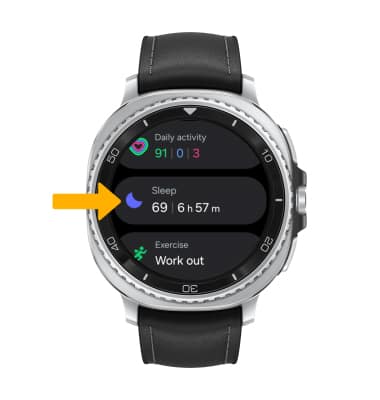
Sleep data on the Gear S3 Frontier is recorded automatically once you wear the watch to bed. The device syncs with the Samsung Health app, where all your sleep details are stored and displayed clearly. This app provides easy-to-understand charts and summaries, making it simple to track progress.
You can review your sleep trends daily, weekly, or monthly, which helps in spotting improvements or declines. The convenience of automatic tracking means you don’t have to manually start or stop sleep sessions. Have you ever forgotten to log your sleep? This feature removes that hassle entirely.
Credit: www.sammobile.com
Accuracy Of Gear S3 Frontier Sleep Tracking
The accuracy of the Gear S3 Frontier in tracking sleep has been a topic of interest for many users. While the device offers basic sleep monitoring, how closely does it match up to more specialized trackers? Understanding its precision can help you decide if it fits your needs or if you should look elsewhere.
Comparison With Other Devices
Compared to dedicated sleep trackers, the Gear S3 Frontier provides a decent overview of your sleep patterns. It primarily tracks total sleep time and light versus deep sleep phases. However, devices like the Fitbit Charge or the Oura Ring often deliver more detailed insights, including REM sleep and sleep disturbances.
The Gear S3 Frontier relies mostly on movement and heart rate to estimate sleep stages. This can sometimes lead to less accurate readings, especially if you move a lot during sleep. Do you find that your sleep report from the watch matches how rested you actually feel?
User Experiences And Reviews
Many users appreciate the convenience of sleep tracking on the Gear S3 Frontier. They like being able to glance at their sleep data without wearing an additional device. However, some report inconsistencies, such as missed sleep periods or incorrect sleep stage durations.
One user mentioned that the watch showed them waking up multiple times, but they didn’t remember any interruptions. Another found the deep sleep time seemed shorter than expected. These experiences highlight that while the Gear S3 Frontier gives a general idea, it might not capture every detail perfectly.
Limitations Of Sleep Tracking
The Gear S3 Frontier’s sleep tracking has clear limitations. It does not track REM sleep separately, which is a crucial part of understanding sleep quality. Also, external factors like wearing the watch loosely or battery-saving settings can affect data accuracy.
Since the device uses sensors that detect movement and heart rate, it may confuse quiet wakefulness with light sleep. This can lead to overestimations or underestimations of your actual sleep time. How important is precise sleep data for you when choosing a wearable?
Setting Up Sleep Tracking On Gear S3 Frontier
Gear S3 Frontier tracks sleep by monitoring your movements during the night. Setting up sleep tracking is simple through the Samsung Health app. Just wear the watch to bed, and it records your sleep patterns automatically.
Setting up sleep tracking on the Gear S3 Frontier is a simple process. This feature helps monitor your sleep patterns effectively. With a few steps, you can start tracking your sleep.Enabling Sleep Mode
To begin, enable the sleep mode on your Gear S3 Frontier. Press the home button to access the apps screen. Scroll to find the “Samsung Health” app. Tap on it to open. Look for the sleep tracking option. Turn it on by tapping the toggle switch. This activates the sleep monitoring feature.Customizing Sleep Settings
Customizing sleep settings allows for a personalized experience. Open the “Settings” menu on your watch. Navigate to “Samsung Health” settings. Here, adjust the bedtime and wake-up time. You can also set sleep goals. These settings help track your sleep accurately.Using Samsung Health App
The Samsung Health app provides detailed sleep insights. Sync your Gear S3 with the app on your phone. Open the app and go to the sleep section. View your sleep patterns and quality. The app offers tips for better sleep. Regularly check the app for updates and insights.Improving Sleep Tracking Accuracy
Improving the accuracy of sleep tracking on the Gear S3 Frontier helps users get better insights. Accurate data depends on several simple habits and settings. Following a few key tips can make the watch more reliable during the night. This section covers how to wear the watch properly, keep its software updated, and create the best sleep environment.
Wearing The Watch Correctly
Wear the Gear S3 Frontier snugly on your wrist. A loose fit can cause false readings or miss sleep phases. The watch should sit just above the wrist bone. Avoid wearing it too tight, which might cause discomfort. Adjust the band for a secure but comfortable feel. Make sure the sensors touch your skin all night.
Ensuring Firmware Updates
Keep the watch’s firmware updated for best performance. Updates often include fixes that improve sleep tracking. Connect the Gear S3 Frontier to the Samsung Wearable app to check for updates. Install updates promptly to benefit from the latest features. Updated software helps reduce bugs and improves sensor accuracy.
Optimizing Sleep Environment
A calm and dark room supports better sleep and tracking. Noise and light can disrupt sleep patterns, confusing the sensors. Lower room temperature to improve sleep quality. Avoid using the watch in extreme temperatures or wet conditions. Good sleep habits enhance the data collected by the Gear S3 Frontier.
Interpreting Gear S3 Frontier Sleep Data
Understanding the sleep data from your Gear S3 Frontier can change how you approach rest. The information it provides isn’t just numbers—it reflects your nightly habits and overall health. Learning to interpret this data helps you make smarter choices for better sleep.
Reading Sleep Reports
Your Gear S3 Frontier breaks down sleep into light, deep, and REM stages. Each stage plays a different role in how refreshed you feel. The report shows total sleep time and quality, making it easier to spot if you’re getting enough restorative rest.
Look for trends over several nights instead of focusing on one night. If your deep sleep consistently falls below 20%, it might be time to rethink your bedtime routine. Have you noticed how stress or caffeine affects your sleep stages?
Identifying Sleep Patterns
Gear S3 Frontier tracks when you fall asleep and wake up, revealing your sleep schedule consistency. Irregular patterns can cause daytime fatigue even if total sleep hours look sufficient. Checking your sleep timing weekly can highlight if you’re shifting your schedule too often.
Watch for repeated awakenings or periods of restless sleep. These interruptions show up clearly in the data and might hint at lifestyle factors or health issues. Does your sleep get worse on certain days or after specific activities?
Using Data For Better Sleep Habits
Use your sleep data to create a plan that suits your lifestyle. If the watch shows you’re missing deep sleep, try relaxing activities before bed like reading or meditation. Adjusting your environment—dimming lights or lowering room temperature—can also help.
Set realistic goals based on your trends, not ideal targets. Small changes, tracked over time, lead to lasting improvements. What’s one habit you can change tonight to help improve your next sleep cycle?
Credit: www.on.com.py
Alternatives For Sleep Tracking
If you’re curious about tracking your sleep but find the Gear S3 Frontier’s capabilities lacking, don’t worry. There are plenty of other options that can give you detailed insights into your rest. These alternatives range from other Samsung devices to specialized apps and dedicated trackers designed solely for sleep monitoring.
Other Samsung Wearables
Samsung offers several wearables with enhanced sleep tracking features. The Galaxy Watch 4 and Watch 5 provide advanced sleep analysis, including REM cycles and blood oxygen levels. If you want a smoother experience without extra apps, these devices might fit your needs better than the Gear S3 Frontier.
Have you ever noticed how some Samsung watches feel more intuitive when logging sleep data? That’s because they’re built with the latest sensors and software improvements, making your sleep insights more accurate and easier to understand.
Third-party Sleep Apps
You can also boost your Gear S3 Frontier’s sleep tracking by pairing it with third-party apps. Apps like Sleep Cycle or Pillow offer detailed sleep graphs and smart alarms. These apps often use your phone’s microphone or accelerometer, so they don’t rely solely on the watch’s hardware.
Trying a third-party app might raise a question: Do you prefer data from your wrist or your phone? Experimenting with different apps can help you find which method captures your sleep patterns best.
Dedicated Sleep Trackers
If you want the most precise sleep data, dedicated sleep trackers could be the answer. Devices like the Withings Sleep Mat or Fitbit Inspire 3 monitor your sleep without needing to wear anything on your wrist. They track heart rate, breathing, and even detect snoring, giving a full picture of your sleep quality.
Imagine waking up to a detailed report on how well you slept and why you might feel tired. These specialized tools can uncover sleep issues that a general smartwatch might miss, helping you improve your rest more effectively.
Frequently Asked Questions
Does Gear S3 Frontier Have Sleep Tracking?
Yes, the Gear S3 Frontier includes basic sleep tracking features. It monitors your sleep duration and quality using motion sensors. However, its sleep tracking is less detailed than specialized sleep trackers or newer smartwatches.
How Accurate Is Gear S3 Frontier Sleep Tracking?
The sleep tracking on Gear S3 Frontier is reasonably accurate for sleep duration. It detects light and deep sleep phases but may not capture all sleep nuances. Accuracy depends on wearing the watch correctly during sleep.
Can Gear S3 Frontier Track Sleep Stages?
Gear S3 Frontier tracks basic sleep stages like light and deep sleep. It does not provide advanced insights like REM sleep or sleep interruptions. For detailed sleep stage analysis, other devices may be better.
How To Enable Sleep Tracking On Gear S3 Frontier?
To enable sleep tracking, wear the Gear S3 Frontier while sleeping. Open the Samsung Health app to view sleep data. Ensure the watch fits snugly for better sensor accuracy overnight.
Conclusion
The Gear S3 Frontier can track your sleep with basic details. It records your sleep duration and patterns each night. You get simple insights to help improve your rest. The data is easy to read and understand. It may not have advanced sleep features like newer models.
Still, it works well for general sleep tracking needs. This makes it a useful tool for daily sleep awareness. Overall, the Gear S3 Frontier offers a straightforward way to monitor sleep.