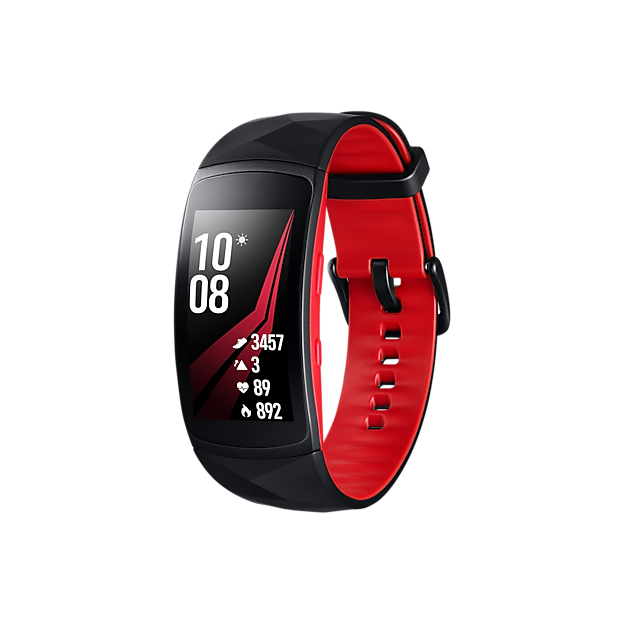
Are you curious if the Samsung Gear Fit 2 Pro can help you understand your sleep better? Getting a good night’s rest is key to feeling energized and healthy.
But how do you know if your sleep is actually restful? If you’re wearing the Gear Fit 2 Pro, you might wonder if it tracks your sleep accurately and what kind of insights it can offer. You’ll discover exactly how the Gear Fit 2 Pro monitors your sleep, what features it includes, and how it can help improve your nightly rest.
Keep reading to find out if this fitness tracker is the right tool to unlock better sleep for you.
Samsung Gear Fit 2 Pro Sleep Tracking Features
The Samsung Gear Fit 2 Pro offers sleep tracking features that help users understand their sleep habits. It collects detailed data about sleep quality and duration. This feature works quietly in the background while you rest. The device provides insights that can improve your sleep health and daily energy levels.
Sensors Used For Sleep Monitoring
The Gear Fit 2 Pro uses multiple sensors to monitor sleep accurately. A built-in accelerometer tracks your movements during the night. The heart rate sensor measures your pulse to detect sleep stages. These sensors work together to provide a full picture of your sleep patterns.
Types Of Sleep Data Recorded
The device records several types of sleep data to help you understand your rest better. It tracks total sleep time and periods of wakefulness. The Gear Fit 2 Pro also identifies light, deep, and REM sleep phases. This data is shown in an easy-to-read format on the app. It helps users spot sleep problems and make adjustments for better rest.
Accuracy Compared To Other Devices
Understanding how accurate the Samsung Gear Fit 2 Pro is compared to other devices can help you decide if it meets your sleep tracking needs. Accuracy matters because it affects how well you can trust the data to improve your rest. Let’s see how this fitness band stacks up against specialized sleep trackers and other fitness bands.
Comparison With Dedicated Sleep Trackers
Dedicated sleep trackers often use advanced sensors like EEG to measure brain activity, making their data highly precise. The Gear Fit 2 Pro uses heart rate and movement sensors, which can sometimes miss subtle sleep stages. This means it might not capture every detail as well as devices designed solely for sleep monitoring.
However, the Gear Fit 2 Pro still provides reliable insights into your sleep duration and general quality. For many users, this level of detail is enough to identify patterns and make lifestyle changes. Think about what you really need: do you want deep clinical data or a practical overview to guide better habits?
Comparison With Other Fitness Bands
When compared to other fitness bands, the Gear Fit 2 Pro performs quite competitively. It generally matches or exceeds the sleep tracking accuracy of devices like Fitbit Inspire or Garmin Vivosmart. Its heart rate sensor is responsive, and the software algorithms are designed to reduce false sleep detection.
Still, some users find minor discrepancies in sleep stage classification compared to peers. This is normal across most wrist-worn devices due to similar sensor limitations. If you’ve tried other bands, you might notice the Gear Fit 2 Pro’s data feels consistent and actionable, helping you adjust your sleep habits effectively.
User Experience And Feedback
The Samsung Gear Fit 2 Pro is designed to enhance your fitness journey. Its ability to track sleep adds another layer to its functionality. Many users have shared their experiences with this feature. Their feedback can provide insights into its effectiveness and reliability. Let’s explore what users have to say about sleep tracking.
Common User Reports
Users often praise the device for its comfort. It is lightweight and doesn’t interfere with sleep. They appreciate its accuracy in detecting sleep patterns. The app provides detailed sleep stages, including deep and light sleep. Many find the data easy to understand and helpful for improving sleep habits.
Issues And Limitations
Some users report issues with syncing data. Occasionally, the app fails to update sleep records. There are also complaints about battery life. Tracking sleep can drain the battery faster. A few users mention inaccuracies in detecting wake times. This can affect the overall sleep analysis. Despite these issues, the device remains popular for sleep tracking.

Credit: www.amazon.com
Factors Affecting Sleep Tracking Accuracy
Sleep tracking accuracy depends on several key factors. These elements influence how well the Samsung Gear Fit 2 Pro records your sleep patterns. Small changes can affect data quality and the overall sleep report. Understanding these factors helps users get better insights into their rest.
Wearing Position And Fit
The device must fit snugly on your wrist. A loose fit can cause the sensors to lose contact with the skin. Wear the Gear Fit 2 Pro just above the wrist bone. Avoid wearing it too high or too low for the best results. Proper placement ensures the heart rate sensor works accurately during sleep.
External Interferences
External factors can impact sleep data. Bright lights or loud noises may disrupt your sleep quality, affecting readings. Electronic devices near your wrist can also interfere with sensors. Avoid sleeping near heavy electronics or in a noisy environment. A calm and dark room helps the device track sleep better.
Software Updates And Calibration
Keep the Gear Fit 2 Pro updated with the latest software. Updates improve sensor accuracy and fix bugs that affect sleep tracking. Calibration helps the device learn your sleep patterns over time. Regular updates and proper calibration lead to more reliable sleep data. Check for updates often in the Samsung app.
Tips To Improve Sleep Tracking Results
Improving sleep tracking with the Samsung Gear Fit 2 Pro helps get clearer insights. Small changes can make a big difference in data quality. Follow simple tips to enhance your device’s accuracy and understand your sleep better.
Proper Device Placement
Wear the Gear Fit 2 Pro snugly on your wrist. Avoid a loose fit to prevent inaccurate readings. Place it above your wrist bone for better sensor contact. Remove the device only when necessary to keep continuous tracking.
Consistent Usage Patterns
Wear the device every night for reliable data. Go to bed and wake up at similar times daily. Avoid changing your sleep schedule often. Consistency helps the tracker learn your patterns and improves accuracy.
Using Companion Apps Effectively
Sync the Gear Fit 2 Pro with Samsung Health app regularly. Review sleep data and make notes about your sleep quality. Use the app to set sleep goals and reminders. Update the device and app to access new features and fixes.

Credit: www.amazon.com

Credit: www.amazon.com
Frequently Asked Questions
Does Samsung Gear Fit 2 Pro Monitor Sleep Quality?
Yes, the Samsung Gear Fit 2 Pro tracks your sleep quality. It records deep, light, and REM sleep stages. This helps users understand sleep patterns and improve rest over time.
How Accurate Is Sleep Tracking On Gear Fit 2 Pro?
The Gear Fit 2 Pro provides fairly accurate sleep data. It uses motion sensors and heart rate to assess sleep stages. However, it may not be as precise as medical-grade devices.
Can Gear Fit 2 Pro Track Sleep Duration Automatically?
Yes, the Gear Fit 2 Pro automatically tracks sleep duration. It detects when you fall asleep and wake up. This feature helps users monitor total sleep time effortlessly.
Does Gear Fit 2 Pro Offer Sleep Insights Or Tips?
The device provides basic sleep insights via the Samsung Health app. It shows sleep trends and duration but lacks personalized sleep improvement tips.
Conclusion
The Samsung Gear Fit 2 Pro tracks sleep quite well. It records your sleep stages and duration each night. This helps you understand your sleep patterns better. The device is easy to use and comfortable to wear. It gives useful insights without extra hassle.
If you want simple sleep tracking, this watch fits the need. Sleep better by knowing how you rest every night. The Gear Fit 2 Pro offers a clear look at your sleep health. A good choice for those who want basic sleep data.

