
Are you curious if your Samsung Gear S2 can help you understand your sleep better? Getting a good night’s rest is key to feeling energized and staying healthy.
But how do you know if you’re really sleeping well? If you own a Gear S2, you might be wondering if it tracks your sleep and how accurate it is. Keep reading to discover what your device can do for your sleep, and how it might help you improve your nightly rest.
Samsung Gear S2 Sleep Tracking Features
The Samsung Gear S2 offers basic sleep tracking features that help users monitor their sleep patterns. It uses built-in sensors to detect movement and heart rate during sleep. These features provide insights into sleep quality and duration. Users can check their sleep data through the watch or connected apps.
Sensors And Technology
The Gear S2 uses an accelerometer to track motion and a heart rate sensor to monitor pulse. These sensors work together to detect sleep stages and restlessness. The technology can identify light, deep, and awake periods. It provides a simple overview rather than detailed sleep analysis.
Data Collected During Sleep
- Total sleep duration
- Time spent in light and deep sleep
- Number of awakenings
- Heart rate trends during sleep
This data helps users understand their sleep habits. It shows how long they rest and how often they wake up. The heart rate data indicates relaxation levels during the night.
Compatibility With Sleep Apps
The Gear S2 syncs with Samsung Health, which stores sleep information. Samsung Health offers basic sleep reports and trends over time. The watch also supports some third-party apps, but options are limited. Users can view and analyze sleep data on their phone for convenience.
Setting Up Sleep Tracking On Gear S2
Setting up sleep tracking on your Samsung Gear S2 is straightforward and can provide valuable insights into your nightly rest. By properly enabling and adjusting the sleep tracking features, you can monitor your sleep patterns without extra effort. Here’s how to get your Gear S2 ready to track your sleep effectively.
Enabling Sleep Mode
First, you need to activate Sleep Mode on your Gear S2 to start tracking your sleep automatically. On your watch, swipe down to access the quick settings panel and look for the Sleep Modeicon. Tap it to turn on Sleep Mode, which minimizes notifications and dims the screen to avoid disturbances during the night.
Alternatively, you can enable Sleep Mode through the settings menu by navigating to Settings > Advanced > Sleep. Make sure this feature is toggled on so your Gear S2 can detect when you fall asleep based on your movements and heart rate.
Adjusting Sleep Settings
You can customize how your Gear S2 tracks sleep by adjusting the settings to fit your personal schedule. Open the Samsung Health app on your watch or phone and go to the Sleepsection. Here, you can set your usual bedtime and wake-up time to help your Gear S2 better understand your sleep routine.
Consider enabling features like Sleep Scoreor Sleep Insightsif available, so you get more detailed feedback. Adjusting these settings ensures that the data you receive is tailored and meaningful, making it easier to spot trends or issues over time.
Using Samsung Health For Sleep Data
Once sleep tracking is active, your Gear S2 syncs data with the Samsung Health app on your smartphone. Open Samsung Health to view detailed graphs and summaries of your sleep duration, quality, and stages like deep and REM sleep.
Pay close attention to trends over multiple nights rather than a single night’s data. The app also offers personalized tips based on your sleep patterns, which can help you improve your rest. Have you noticed any changes in your sleep after tracking it? This insight might motivate you to adjust your habits for better health.
Accuracy Of Sleep Tracking
The accuracy of sleep tracking on the Samsung Gear S2 is a key factor for many users. It uses built-in sensors to monitor movement and heart rate during sleep. This data helps estimate sleep stages and total sleep time. While it provides useful insights, the precision varies depending on several factors.
Understanding how well the Gear S2 tracks sleep compared to other devices gives a clearer picture. User experiences and known limitations also affect its reliability.
Comparing With Other Devices
The Samsung Gear S2 tracks sleep using motion and heart rate sensors. Some advanced devices add more sensors like skin temperature or blood oxygen levels. These extra features can improve sleep stage detection.
Compared to high-end trackers, the Gear S2 may have less detailed sleep data. It performs similarly to many mid-range fitness bands. Accuracy is generally good for tracking total sleep time but less precise for deep sleep phases.
User Feedback And Reviews
Many users find the Gear S2 helpful for basic sleep tracking. They appreciate its easy-to-understand sleep reports. Some users report occasional mismatches in sleep and wake times. Others mention the heart rate sensor sometimes struggles during restless nights.
Overall, user reviews highlight the Gear S2 as a decent option for casual sleep tracking. It may not replace professional sleep studies or dedicated sleep devices.
Limitations To Consider
- The Gear S2 relies on movement and heart rate data only.
- Sleep stage accuracy may vary between users.
- Wearing the watch too loose or tight affects data quality.
- Irregular sleep patterns can confuse the sensors.
- It may not detect short awakenings during the night.
These limits mean the Gear S2 should be used as a general guide. For serious sleep issues, medical advice is best.

Credit: malaysia.news.yahoo.com
Interpreting Sleep Data From Gear S2
The Samsung Gear S2 offers detailed sleep tracking to help you understand your rest better. It collects data on how long and how well you sleep. This data can guide you to improve your sleeping habits. Knowing how to read this information is key to making good changes.
Sleep Stages And Duration
The Gear S2 tracks different sleep stages such as light, deep, and REM sleep. It shows how long you spend in each stage every night. This helps identify if you get enough restful sleep. The watch also records the total sleep duration. You can see patterns over days or weeks to spot changes.
Heart Rate And Movement Analysis
The device measures your heart rate while you sleep. It tracks any unusual spikes or drops. The watch also monitors your movements during the night. Less movement usually means better sleep quality. This data can reveal if you wake up often or toss and turn too much.
Improving Sleep Quality Based On Data
Use the Gear S2 data to adjust your bedtime routine. Aim for longer deep and REM sleep stages. Try to reduce heart rate spikes by relaxing before bed. Notice if less movement helps you feel more rested. Small changes can lead to better sleep over time.
Tips To Enhance Sleep Monitoring
Samsung Gear S2 tracks sleep by monitoring movement and heart rate during the night. Ensuring the watch fits snugly improves data accuracy. Using the Samsung Health app helps review sleep patterns clearly.
Improving sleep monitoring with the Samsung Gear S2 requires a few simple adjustments. These tips help you get the most accurate sleep data. Better sleep tracking can lead to improved sleep quality. Let’s explore how to enhance your sleep monitoring experience.Wearing The Device Correctly
Properly wearing the Gear S2 is crucial. Ensure the watch fits snugly on your wrist. It should not be too tight or loose. A proper fit helps the sensors work accurately. Wear it on the non-dominant hand for better comfort during sleep.Regular Software Updates
Keep the device updated. Regular updates improve the device’s performance. They also fix bugs and enhance features. Check for updates frequently. This ensures the best sleep tracking capabilities.Integrating With Third-party Apps
Consider using third-party apps. They can offer advanced features and insights. Apps like Sleep as Android can sync with the Gear S2. This integration can provide detailed sleep analysis. Look for apps compatible with your device for the best results.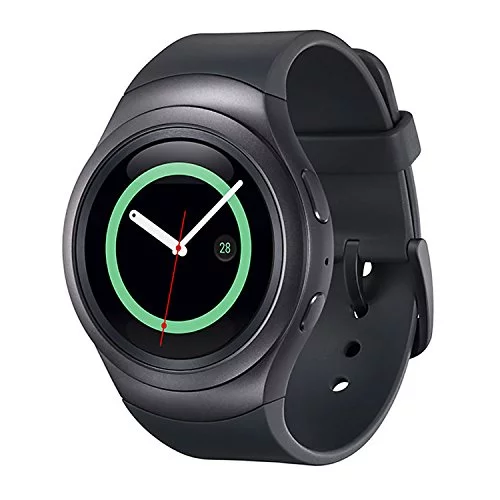
Credit: www.ibhejo.com
Alternatives For Sleep Tracking
If the Samsung Gear S2 doesn’t fully meet your sleep tracking needs, don’t worry—there are several alternatives worth considering. These options vary in features, accuracy, and price, giving you flexibility to find what works best for your lifestyle. Let’s look at some solid choices to help you monitor and improve your sleep quality.
Other Samsung Wearables
Samsung offers newer wearables with improved sleep tracking features that might suit you better. The Samsung Galaxy Watch series, for instance, tracks multiple sleep stages, including REM, light, and deep sleep, providing more detailed insights than the Gear S2.
These devices also sync seamlessly with the Samsung Health app, making it easier to analyze trends and set sleep goals. If you’re already invested in the Samsung ecosystem, upgrading to a newer wearable could be a smooth and beneficial move.
Popular Non-samsung Devices
Looking beyond Samsung, several popular brands focus heavily on sleep tracking. Fitbit models like the Charge 5 and Versa 3 not only track sleep stages but also offer sleep score, breathing rate, and even snore detection.
Apple Watch users can rely on native sleep tracking or third-party apps that provide detailed data. Garmin’s wearables are also well-regarded for their accuracy in sleep and recovery metrics.
- Fitbit Charge 5 – detailed sleep stages and score
- Apple Watch Series 8 – integrates sleep tracking with health apps
- Garmin Vivosmart 5 – advanced sleep and recovery insights
Dedicated Sleep Trackers
If you want to take sleep tracking seriously, dedicated devices can offer superior accuracy and comfort. Products like the Oura Ring or Withings Sleep Analyzer focus exclusively on sleep, measuring heart rate, movement, and even breathing disturbances without needing to wear a bulky watch.
These trackers often provide in-depth reports and personalized tips based on your sleep patterns. Have you ever considered how much a lighter, less intrusive device might improve your sleep tracking experience?

Credit: www.amazon.com
Frequently Asked Questions
Does Samsung Gear S2 Monitor Sleep Patterns Accurately?
Yes, Samsung Gear S2 tracks sleep duration and stages using built-in sensors. It provides insights into light, deep, and REM sleep phases for better rest analysis.
How To Enable Sleep Tracking On Samsung Gear S2?
Sleep tracking activates automatically when you wear the Gear S2 to bed. Ensure the Samsung Health app syncs with your watch for detailed sleep reports.
Can Samsung Gear S2 Improve My Sleep Quality?
By analyzing sleep data, Gear S2 helps identify sleep issues. Use its insights to adjust habits and improve your overall sleep quality effectively.
Is Sleep Data From Samsung Gear S2 Reliable For Doctors?
While Gear S2 offers useful sleep insights, it’s not a medical device. Consult a healthcare professional for accurate diagnosis and treatment based on comprehensive sleep studies.
Conclusion
The Samsung Gear S2 offers basic sleep tracking features. It records your sleep duration and quality. This helps you understand your sleep patterns better. The data is easy to view on the watch and app. While not as advanced as some devices, it serves well for casual users.
Tracking sleep can encourage healthier habits over time. The Gear S2 fits well for those wanting simple sleep insights. Consider your needs before choosing a sleep tracker. Overall, it provides useful information without being complicated.

