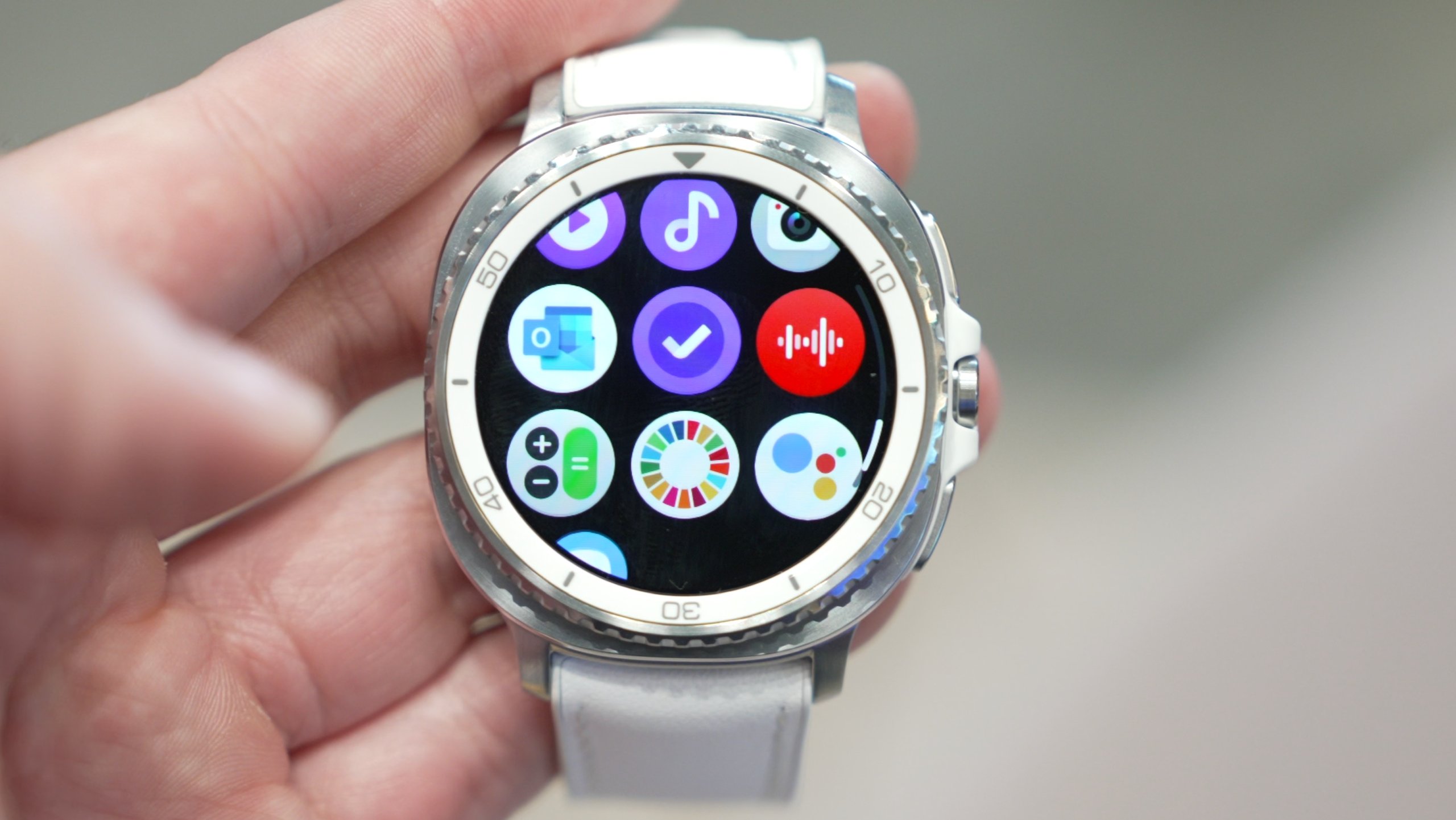
Are you curious if your Samsung Gear S3 can help you understand your sleep better? Sleep is one of the most important parts of your health, and knowing how well you rest each night can make a big difference.
But does the Gear S3 have what it takes to track your sleep accurately? If you want to find out how this smartwatch works with your sleep patterns and whether it can truly improve your nightly rest, keep reading. This guide will clear up all your questions and help you make the most of your device.
Credit: news.samsung.com
Samsung Gear S3 Sleep Tracking Features
The Samsung Gear S3 offers a variety of sleep tracking features to help users understand their sleep patterns. It uses advanced technology to monitor sleep quality and duration. This smartwatch gathers data while you rest, providing useful insights each morning.
These features help you see when you sleep deeply or wake up at night. The Gear S3 tracks sleep automatically without needing any manual input. It gives a clear picture of your sleep stages and overall rest quality.
Built-in Sensors
The Gear S3 has sensors that measure movements and heart rate during sleep. The accelerometer detects your body motion to identify when you are asleep or awake. The heart rate sensor tracks your pulse to estimate sleep depth and restfulness.
These sensors work together to give accurate sleep data. They collect information quietly without disturbing your sleep.
Sleep Stages Monitored
The watch identifies different sleep stages like light, deep, and REM sleep. Light sleep is when your body rests but you can wake easily. Deep sleep is the most restful stage for body recovery. REM sleep is linked to dreaming and brain activity.
Understanding these stages helps you improve your sleep habits. The Gear S3 shows how much time you spend in each stage every night.
Automatic Sleep Detection
The Gear S3 starts tracking sleep automatically as you fall asleep. No need to press buttons or start an app. It senses when you lie down and remain still for a period.
This feature makes sleep tracking simple and hassle-free. You get accurate data without extra effort.
Setting Up Sleep Tracking On Gear S3
Setting up sleep tracking on your Samsung Gear S3 is straightforward and can significantly improve how you understand your sleep patterns. Getting everything ready involves a few important steps that ensure your device captures accurate data. Once set up, your watch can provide insights that help you adjust your habits for better rest.
Installing Required Apps
The first step is to make sure you have the right apps installed on both your Gear S3 and your smartphone. Samsung Health is essential for collecting and analyzing your sleep data. You can download it from the Galaxy Store or the Google Play Store, depending on your phone.
After installing, sync your watch with your phone to allow seamless data transfer. Without this connection, the sleep data won’t appear in the app, limiting your ability to track trends over time.
Configuring Sleep Mode
Once the apps are ready, you need to configure Sleep Mode on your Gear S3. Sleep Mode helps the watch reduce interruptions by muting notifications and dimming the screen while you rest. You can set this manually or schedule it based on your usual sleep hours.
Activating Sleep Mode ensures your tracking isn’t disturbed by accidental screen touches or alerts. Have you ever noticed your watch lighting up when you move in bed? Setting this mode stops that from breaking your sleep.
Customizing Sleep Goals
To make the most of sleep tracking, customize your sleep goals in the Samsung Health app. Decide how many hours of sleep you want to aim for each night and set reminders to help you stick to your schedule. This personal target keeps you motivated to improve your rest quality.
Adjusting your goals based on your lifestyle or changes in routine can offer more relevant feedback. What’s your ideal sleep duration? Setting that clearly in your watch can turn vague sleep habits into actionable plans.
Using Gear S3 To Track Sleep
Tracking your sleep can offer invaluable insights into your health and well-being. The Samsung Gear S3 provides a convenient way to monitor your sleep patterns, helping you understand and improve your nightly rest. With its intuitive design and functionality, you can easily track your sleep with just a few simple steps.
Wearing The Device Properly
Ensure your Gear S3 is snugly fitted on your wrist. A loose fit might lead to inaccurate data. It’s best to wear it on your non-dominant hand to minimize movement during sleep.
Remember, comfort is key. If your watch feels uncomfortable, you might find it harder to fall asleep, defeating the purpose of sleep tracking.
Starting And Stopping Sleep Tracking
To begin tracking your sleep, navigate to the Samsung Health app on your Gear S3. Select the sleep option and start tracking before you hit the pillow.
In the morning, you can stop the tracking manually, or let the watch automatically detect when you’ve woken up. This feature is perfect for those unpredictable snooze button mornings.
Viewing Sleep Data On The Watch
Once your sleep session is complete, access your sleep data directly on your Gear S3. Simply go to the Samsung Health app and tap on the sleep icon to view your stats.
You’ll see a breakdown of your sleep stages, including light, deep, and REM sleep. This information can help you identify patterns and make necessary adjustments to improve your sleep quality.
How often do you find yourself struggling to wake up refreshed? By leveraging the sleep tracking capabilities of the Gear S3, you can gain insights that might just transform your mornings.
Credit: www.on.com.py
Analyzing Sleep Data On The Smartphone
Analyzing your sleep data on a smartphone can transform how you understand rest and recovery. The Samsung Gear S3 collects detailed sleep metrics, but the real value lies in what you do with that information. Your smartphone becomes the control center, offering clear insights and personalized tips that can help you improve your sleep quality night after night.
Samsung Health App Integration
The Gear S3 syncs seamlessly with the Samsung Health app, bringing your sleep data straight to your phone. This integration allows you to view detailed charts showing your sleep stages, duration, and interruptions. You can check your sleep trends over days, weeks, or even months, helping you spot patterns you might otherwise miss.
Have you noticed your sleep quality dipping after late-night screen time? The app’s easy-to-read interface makes these connections clear. Plus, Samsung Health lets you combine sleep data with other health metrics like activity and heart rate for a full picture of your wellbeing.
Interpreting Sleep Reports
Sleep reports on your smartphone break down complex data into simple terms. You’ll see how long you spent in light, deep, and REM sleep, along with your total sleep time. This helps you understand if you’re getting the restorative sleep your body needs.
For instance, if your deep sleep duration is consistently low, it might explain why you feel tired even after a full night in bed. The reports highlight sleep disruptions too, such as frequent awakenings, which can affect how refreshed you feel.
What if you could identify exactly which nights left you feeling groggy and why? This clarity pushes you to adjust habits and routines more confidently.
Setting Sleep Improvement Tips
Based on your sleep data, the Samsung Health app suggests personalized tips to boost your sleep quality. These tips might include setting consistent bedtimes, reducing caffeine intake, or creating a calming pre-sleep routine.
You can even set reminders on your phone to start winding down or track your progress as you try new habits. The app turns raw data into actionable advice that fits your lifestyle, making it easier to stick to positive changes.
Imagine waking up more energized because you followed a tailored plan based on your own sleep patterns. Wouldn’t that be a strong motivator to keep using your Gear S3 and Samsung Health together?
Accuracy And Limitations
The Samsung Gear S3 tracks sleep by monitoring movement and heart rate. It aims to provide insights into sleep duration and quality. Accuracy varies based on several factors. Understanding these helps set realistic expectations.
Factors Affecting Sleep Tracking Accuracy
- Wearing the watch too loosely can cause data errors.
- Heart rate sensors may not work well on some skin types.
- Movement during sleep, like tossing or turning, impacts readings.
- Environmental factors such as temperature or light can affect sensors.
- Firmware updates may improve or temporarily disrupt tracking accuracy.
- Individual sleep patterns vary, making universal accuracy challenging.
Comparing With Other Devices
The Gear S3 uses sensors similar to many fitness trackers. It provides decent sleep stage detection but lacks advanced features found in some newer models.
Other devices may include:
- More precise heart rate variability sensors.
- Advanced algorithms for deep and REM sleep analysis.
- Integration with third-party sleep apps for detailed reports.
Overall, the Gear S3 offers basic sleep tracking suitable for casual users.
Common Issues And Troubleshooting
- Incorrect sleep time recorded? Ensure the watch fits snugly on your wrist.
- Missing sleep data? Check if the device’s battery is sufficient before sleep.
- Sync problems? Restart your phone and the Gear S3 to refresh connection.
- Sensor errors? Clean the watch’s sensors gently with a soft cloth.
- Update issues? Keep the Gear S3’s software up to date for best performance.
Enhancing Sleep Quality With Gear S3
The Samsung Gear S3 offers tools to improve your sleep quality. It tracks sleep patterns and helps build healthy sleep habits. The watch combines technology and wellness features for better rest. Users can set reminders, practice relaxation, and analyze sleep trends. These functions support a more restful night and refreshed mornings.
Sleep Reminders And Alarms
The Gear S3 allows setting gentle sleep reminders. These alerts help you stick to a regular bedtime. Smart alarms wake you up at the best time in your sleep cycle. This reduces grogginess and improves morning alertness. Customizable vibration and sound options suit personal preferences.
Relaxation And Breathing Exercises
The watch guides simple breathing exercises to reduce stress before sleep. These exercises calm the mind and body. They improve the ability to fall asleep faster. Regular practice can lower heart rate and ease tension. The Gear S3’s interface makes these exercises easy to follow anytime.
Tracking Sleep Trends Over Time
Gear S3 records detailed sleep data each night. It tracks light, deep, and REM sleep stages. Users can view charts showing sleep quality over days and weeks. This helps identify patterns and factors affecting rest. Insights from the data encourage better sleep routines and lifestyle choices.
Alternative Sleep Tracking Apps For Gear S3
If you’re wondering whether your Samsung Gear S3 can track sleep effectively, you might find its built-in features a bit limited. Luckily, there are alternative sleep tracking apps designed to enhance your experience. These third-party apps offer detailed insights and can turn your Gear S3 into a more powerful sleep monitor.
Popular Third-party Apps
Several apps have gained popularity among Gear S3 users for tracking sleep. Apps like Sleep as Android, Pillow, and AutoSleepare known for their comprehensive data and user-friendly interfaces.
- Sleep as Android:Offers smart alarms and snore detection.
- Pillow:Provides heart rate analysis and sleep stage tracking.
- AutoSleep:Automatically tracks your sleep without manual input.
Each app brings unique features that might suit your sleep tracking needs better than the default Gear S3 app.
Features Compared
| App | Sleep Stage Tracking | Heart Rate Monitoring | Smart Alarm | Ease of Use |
|---|---|---|---|---|
| Sleep as Android | Yes | Yes | Yes | Moderate |
| Pillow | Yes | Yes | No | Easy |
| AutoSleep | Yes | Yes | No | Easy |
Reviewing these features can help you pick an app that fits your lifestyle and sleep goals. What matters most to you—detailed data or simplicity?
How To Install And Use
Installing a sleep tracking app on your Gear S3 is straightforward. Start by opening the Galaxy Store on your watch or the Galaxy Wearable app on your phone.
- Search for the app by name.
- Tap ‘Install’ and wait for the download to complete.
- Open the app and follow the on-screen setup instructions.
Once installed, wear your Gear S3 to bed and let the app track your sleep. You can review the data the next morning on your watch or synced phone app. Have you tried switching apps to see if your sleep tracking improves?

Credit: upgrademystatus.com
Frequently Asked Questions
Can Samsung Gear S3 Track My Sleep Patterns?
Yes, Samsung Gear S3 can track your sleep patterns. It monitors deep, light, and REM sleep stages using its built-in sensors.
How Accurate Is Samsung Gear S3 Sleep Tracking?
The Gear S3 provides reasonably accurate sleep data. However, it may not be as precise as dedicated sleep trackers or medical devices.
Does Samsung Gear S3 Offer Sleep Quality Insights?
Yes, it provides insights on sleep duration and quality. The watch helps identify sleep trends to improve your rest habits.
Can I View Sleep Data On Samsung Gear S3?
You can view sleep data directly on the watch or in the Samsung Health app. The app offers detailed analysis and history.
Conclusion
The Samsung Gear S3 offers basic sleep tracking features. It records sleep duration and quality. You can see simple sleep patterns on the app. It helps users understand their rest habits better. While not very detailed, it still provides useful data.
For those who want easy sleep insights, it works well. The Gear S3 is a good choice for casual trackers. Sleep tracking is just one of its many features. Overall, the Gear S3 can help you keep an eye on sleep.

