Are you curious if your Samsung Gear Fit 2 Pro can help you understand your sleep better? Sleep is a key part of your health, and knowing how well you rest can make a big difference in your daily energy and mood.
But does this popular fitness tracker really keep an eye on your sleep patterns? You’ll discover how the Gear Fit 2 Pro tracks your sleep, what kind of data it provides, and how accurate it is. By the end, you’ll know if this device is the right tool to improve your nights and boost your days.
Keep reading to unlock the truth about your sleep tracking!
Credit: www.samsung.com
Samsung Gear Fit 2 Pro Sleep Tracking Features
The Samsung Gear Fit 2 Pro offers a suite of sleep tracking features designed to give you a clearer picture of your nightly rest. Understanding how this wearable monitors sleep can help you make smarter choices about your bedtime habits. Let’s break down what makes its sleep tracking stand out and how it might fit into your health routine.
Sensors Used For Sleep Monitoring
The Gear Fit 2 Pro uses a combination of sensors to monitor your sleep accurately. It relies on an accelerometer to detect your movements and a heart rate sensor to track your pulse throughout the night. Together, these sensors help the device determine when you fall asleep, how restless you are, and when you wake up.
These sensors work quietly in the background, so you don’t have to do anything extra. Have you ever wondered how your subtle movements affect your sleep quality? The Gear Fit 2 Pro captures that data effortlessly.
Types Of Sleep Data Recorded
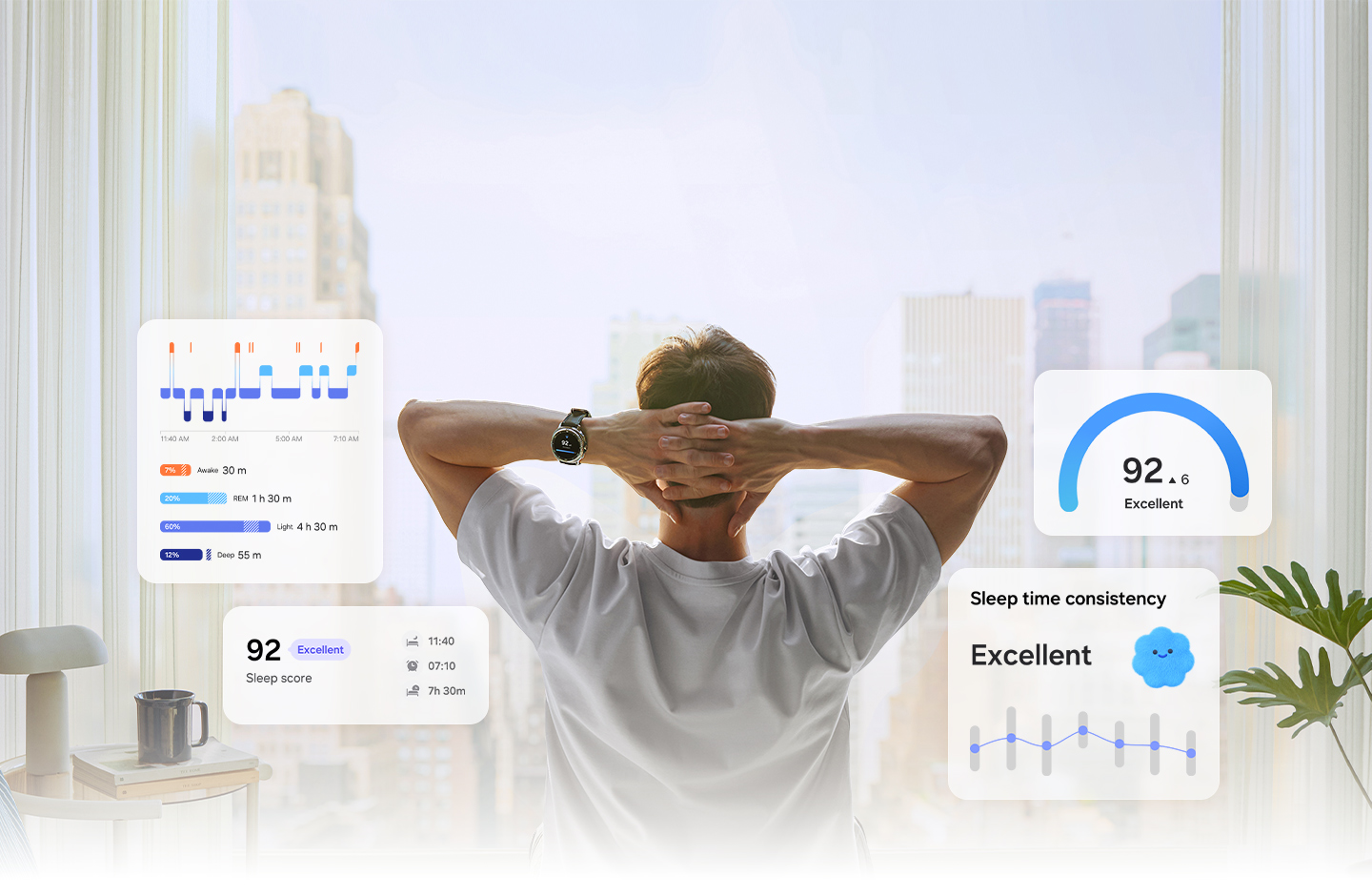
This fitness tracker records several key types of sleep data that offer insight into your rest patterns. It tracks total sleep duration, the time spent in light, deep, and REM sleep stages, and the number of times you wake up during the night.
Seeing this breakdown can reveal if you’re getting enough restorative sleep or just lying in bed. For example, if your deep sleep is consistently low, it might explain why you feel tired even after a full night’s rest.
Compatibility With Sleep Apps
The Gear Fit 2 Pro syncs seamlessly with Samsung’s Health app, providing a detailed overview of your sleep trends over days, weeks, and months. You can also connect it with other popular sleep tracking apps if you want more advanced analysis or personalized tips.
By integrating with these apps, you can set sleep goals, track improvements, and receive reminders to maintain healthy sleep habits. Have you tried syncing your sleep data with an app to see patterns you might have missed?
Credit: www.samsung.com
Accuracy Of Sleep Tracking
The accuracy of sleep tracking on the Samsung Gear Fit 2 Pro is a key concern for anyone relying on it to improve their rest. Understanding how precise this device is can help you decide if it’s worth wearing every night. Let’s break down the details based on comparisons, user feedback, and factors that impact its accuracy.
Comparison With Medical-grade Devices
Medical-grade sleep trackers, like polysomnography machines used in sleep clinics, measure brain waves, eye movement, and muscle activity. The Gear Fit 2 Pro uses motion sensors and heart rate data, which are less precise but more convenient.
Studies show that while the Gear Fit 2 Pro can estimate total sleep time reasonably well, it often struggles to accurately identify sleep stages like REM or deep sleep. This means it might tell you how long you slept but not the quality of that sleep as accurately as medical devices.
Would you trust your sleep data if it misses critical stages by a significant margin? It’s important to keep this gap in mind when interpreting your results.
User Reviews On Sleep Data Reliability
Many users report that the Gear Fit 2 Pro provides consistent sleep duration tracking, which helps establish general sleep patterns. However, some mention discrepancies in sleep stage reports, noting the device sometimes registers light sleep when they feel rested or awake.
Some users find the sleep score helpful as a rough guide but don’t rely on it for detailed insights. Others appreciate how the device encourages better sleep habits despite occasional inaccuracies.
Have you noticed differences between how rested you feel and what your tracker reports? Sharing such experiences can help set realistic expectations for this technology.
Factors Affecting Tracking Precision
Several factors can impact the Gear Fit 2 Pro’s ability to track sleep accurately:
- Fit and Wear Position:A loose strap or incorrect placement can cause false readings.
- Movement During Sleep:Excessive tossing or specific sleeping positions may confuse motion sensors.
- Heart Rate Variability:Variations due to stress, caffeine, or illness can alter sleep detection.
- Firmware Updates:Software improvements can enhance accuracy over time, so keeping your device updated matters.
By paying attention to these factors, you can improve the reliability of your sleep data. Are you adjusting your device setup to get better results?
How Sleep Insights Help Users
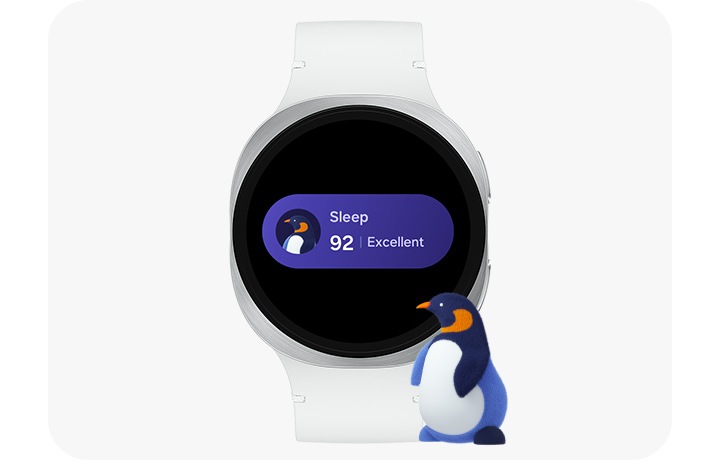
The Samsung Gear Fit 2 Pro offers sleep tracking for its users. Understanding sleep patterns is crucial for improving overall health. This device helps users by providing valuable insights into their sleep cycles. These insights can guide users towards healthier sleep habits. Below, we explore how sleep insights can benefit users in different ways.
Identifying Sleep Patterns
The Samsung Gear Fit 2 Pro records detailed sleep data. It shows users their sleep patterns over time. Users can see when they enter deep sleep or light sleep stages. This information helps them understand their sleep quality. Knowing these patterns can help users pinpoint issues affecting their rest.
Improving Sleep Quality
With sleep insights, users can improve their sleep quality. The device provides suggestions based on the data collected. Users can adjust their routines to sleep better. Consistent sleep patterns lead to more restful nights. Better sleep quality enhances overall well-being.
Setting Sleep Goals
Setting achievable sleep goals is easy with the Gear Fit 2 Pro. Users can track their progress towards these goals. The device motivates them to maintain healthy sleep habits. Meeting sleep goals can improve users’ health and energy levels. It also supports better focus and mood throughout the day.

Credit: www.amazon.com
Limitations And Common Issues
While the Samsung Gear Fit 2 Pro offers sleep tracking features, it’s important to understand its limitations and common issues. Recognizing these can help you decide if it fits your personal needs and how to interpret the data it provides. Let’s look closer at some challenges users often face.
Potential Tracking Errors
The Gear Fit 2 Pro sometimes misinterprets movements during sleep, leading to inaccurate tracking. For example, restless tossing might be recorded as waking periods, even if you’re just shifting position. If you sleep with a partner or pet, the device might also pick up their movements, skewing your results.
Have you noticed your sleep report showing you awake when you know you were asleep? This inconsistency can make it hard to trust the data completely. Double-checking with a sleep diary or another device might help verify your results.
Battery Life Impact On Sleep Monitoring
Sleep tracking requires the Gear Fit 2 Pro to run all night, which can drain the battery faster than usual. If your battery is low, the device might stop tracking partway through the night, leaving gaps in your sleep data. This can affect your ability to see patterns or make improvements.
Charging your device before bed is essential, but it can feel like a hassle if you use your watch heavily during the day. Have you experienced nights where your tracker died, and you lost important sleep information? Planning charging times around your schedule can help avoid this problem.
Challenges In Detecting Sleep Stages
The Gear Fit 2 Pro attempts to identify light, deep, and REM sleep, but it doesn’t always get it right. The technology relies on heart rate and movement, which can be less accurate than clinical methods like polysomnography. This means your detailed sleep stage data might not be precise.
If you’re trying to track specific sleep issues like insomnia or sleep apnea, relying solely on the Gear Fit 2 Pro’s sleep stage data might not give you the full picture. Do you find the sleep stage breakdown matches how rested you feel? Questioning this can guide you in deciding whether to seek professional sleep analysis.
Tips For Better Sleep Tracking
Tracking sleep with the Samsung Gear Fit 2 Pro can help you understand your sleep patterns better. Accurate tracking depends on a few simple actions you can take. These tips improve the quality of sleep data the device collects. Small changes in how you use your Gear Fit 2 Pro make a big difference.
Proper Wear And Fit
Wear the Gear Fit 2 Pro snugly but not too tight. The sensor needs good skin contact to read your movements and heart rate. Avoid wearing it too loose or too high on your wrist. Remove the device before any activity that may cause sweat or dirt buildup. Clean the sensor regularly to keep it free of oils and dust. These steps help the device detect sleep phases accurately.
Using Software Updates
Keep the Gear Fit 2 Pro software up to date. Samsung releases updates that improve sleep tracking features. Updates fix bugs and add new functions that enhance accuracy. Connect your device to your phone and check for updates often. Updated software helps the device analyze sleep patterns better and provides clearer insights.
Integrating With Health Platforms
Sync the Gear Fit 2 Pro with Samsung Health or other health apps. These platforms collect and analyze your sleep data more deeply. They offer personalized tips based on your sleep trends. Use the apps to set sleep goals and reminders. Integration lets you track progress over time and understand your sleep habits clearly.
Frequently Asked Questions
Does Samsung Gear Fit 2 Pro Track Sleep Automatically?
Yes, the Samsung Gear Fit 2 Pro tracks sleep automatically. It detects when you fall asleep and monitors sleep stages without manual input.
How Accurate Is Sleep Tracking On Gear Fit 2 Pro?
The sleep tracking on Gear Fit 2 Pro is fairly accurate. It measures sleep duration and stages using heart rate and movement sensors.
Can Gear Fit 2 Pro Monitor Different Sleep Stages?
Yes, it monitors light, deep, and REM sleep stages. This helps provide detailed insights into your sleep quality.
How Do I View Sleep Data On Gear Fit 2 Pro?
You can view sleep data on the Samsung Health app. It syncs with the Gear Fit 2 Pro to display detailed sleep reports.
Conclusion
The Samsung Gear Fit 2 Pro does track your sleep well. It records sleep duration and quality each night. You can see your sleep patterns in the app. This helps you understand your rest better. The device is easy to use and comfortable to wear.
Sleep tracking can improve your health over time. It is a useful feature for daily life. Choosing this fitness tracker means getting reliable sleep data. Give it a try to see how it works for you.