Imagine losing all your important files and not having a backup ready. Scary, right?
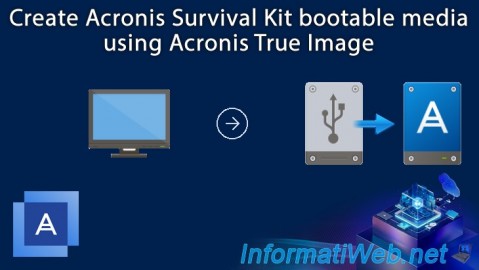
That’s where the Acronis Survival Kit comes in. It’s your safety net, designed to keep your data safe and recoverable when things go wrong. But how do you create one that actually works? You’ll learn step-by-step how to build your very own Acronis Survival Kit.
By the end, you’ll have a powerful tool to protect your digital life, giving you peace of mind and saving you from future headaches. Keep reading—your data’s safety depends on it.
What Is Acronis Survival Kit
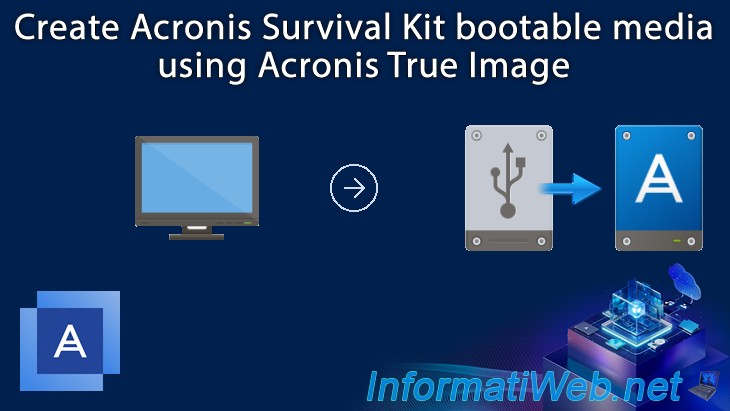
Acronis Survival Kit is a handy tool for data protection. It helps you keep your backup and recovery files in one place. This kit makes restoring your system easier during emergencies. It is especially useful for avoiding data loss and downtime.
The Survival Kit contains all necessary items to recover your system fast. You get a bootable drive and backup files together. This means you can start recovery without extra tools or downloads.
Purpose Of Acronis Survival Kit
The main purpose is to simplify system recovery. It allows quick access to backups and recovery tools. This reduces time spent fixing computer problems. Users can restore data even if the main system fails.
Components Of The Survival Kit
- Bootable USB drive or external hard drive
- System image backups
- Recovery software
- Essential drivers and utilities
These components ensure you have everything needed for recovery. The kit acts as a one-stop solution during system failures.
Who Should Use Acronis Survival Kit
Anyone wanting to protect important data benefits from the kit. It is ideal for:
- Home users with critical files
- Small business owners
- IT professionals managing multiple devices
- Users who want fast recovery options
Having a Survival Kit reduces stress during system crashes. It offers peace of mind by securing backups and recovery tools.
Credit: us.informatiweb.net
Why You Need A Survival Kit
Having an Acronis Survival Kit is more than just a backup solution—it’s your safety net in moments when your digital world feels like it’s falling apart. Imagine losing crucial files right before a big presentation or during a project deadline. Would you feel prepared to recover quickly without stress?
The Survival Kit gives you peace of mind by bundling everything you need to restore your system, all in one place. It’s designed to save you time and reduce the hassle when disasters strike.
What Makes The Survival Kit Essential For Your Data Protection
A Survival Kit is not just about storing backups; it includes the necessary tools to boot your system and recover data. This means if your computer crashes or your hard drive fails, you won’t be stuck trying to find recovery software or backups scattered across devices.
Having these tools ready helps you act fast and reduces downtime. You won’t waste time searching for recovery drives or figuring out complex recovery steps under pressure.
How A Survival Kit Simplifies Recovery During Emergencies
Imagine your laptop suddenly won’t start. Without a Survival Kit, you may need professional help or complicated software downloads, which could delay your work for hours or days.
The Survival Kit is a ready-to-go solution that boots your computer and restores your data quickly. This simplicity lets you get back to work without unnecessary stress or delays.
Why You Should Customize Your Survival Kit For Your Needs
Not all data and devices are the same. You might have photos, work documents, or system settings that are more important to you than others.
Customizing your Survival Kit means including the files and tools that matter most to you. This way, you ensure that your recovery process is effective and tailored to your unique setup.
Cost And Time Savings From Being Prepared
Think about the cost of losing important data or paying for professional recovery services. These expenses can be much higher than the time and effort needed to create a Survival Kit.
By having a Survival Kit, you avoid unnecessary costs and save time by handling recovery yourself. It’s a smart investment in your digital security.
Preparing Your Equipment
Preparing your equipment is a key part of creating an Acronis Survival Kit. It ensures a smooth backup process and protects your important data. Start by selecting the right external drive and checking its storage capacity. These steps help avoid errors and save time.
Choosing The Right External Drive
Pick an external drive that is compatible with your computer. USB 3.0 or higher is best for fast data transfer. A solid-state drive (SSD) offers better speed and durability than a traditional hard drive. Choose a reliable brand known for quality and support. Ensure the drive has a sturdy build to withstand travel and daily use.
Ensuring Sufficient Storage Space
Check the size of your data before selecting a drive. Your external drive should have at least 20% more space than your backup size. This extra space helps manage future backups and system files. Use tools on your computer to view the total data size easily. Avoid drives with low free space to prevent backup failures.
Credit: us.informatiweb.net
Installing Acronis Software
Installing Acronis software is the first step in creating your Acronis Survival Kit. This software ensures your backup and recovery processes run smoothly. The installation is simple and quick. You only need to follow a few clear steps to get started.
Downloading The Latest Version
Visit the official Acronis website to download the software. Choose the version that matches your operating system. Make sure to download the latest release for better features and security. The file size may vary, so check your internet speed. Save the installer file to a location you can easily find.
Running The Installer
Locate the downloaded installer file and double-click to start it. Follow the on-screen instructions carefully. Accept the license agreement to continue. Choose the installation folder or use the default path. Click the install button and wait for the process to finish. Restart your computer if prompted. Once done, the software is ready to use for your Survival Kit.
Creating The Survival Kit
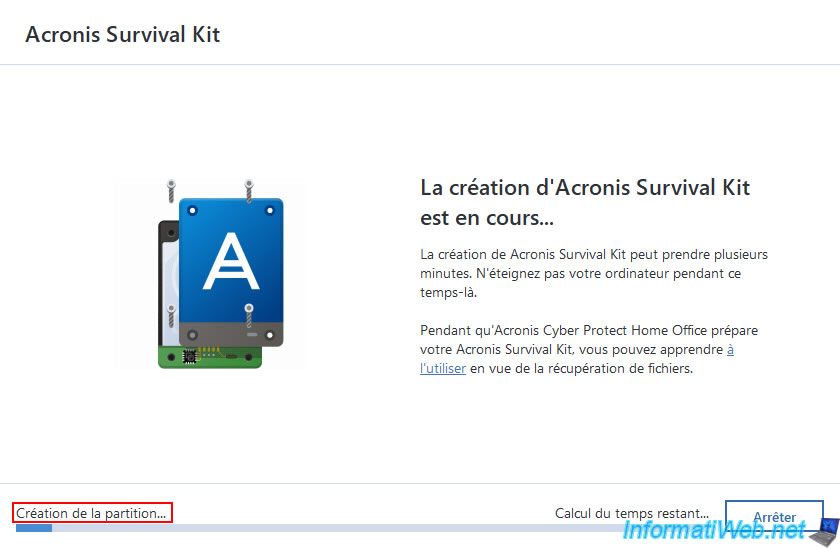
Creating the Acronis Survival Kit ensures you have a complete backup solution ready for emergencies. It bundles critical components into one easy-to-use package. This kit helps restore your system quickly after a crash or hardware failure.
Follow these steps to prepare the Survival Kit that fits your needs. Each part plays a key role in safeguarding your data and system.
Launching The Survival Kit Wizard
Open the Acronis True Image software on your computer. Look for the “Survival Kit” option in the main menu. Click it to launch the Survival Kit Wizard. This tool guides you through the entire setup process. It simplifies creating a reliable backup and bootable media.
Selecting Backup Components
Choose which files and system parts to include in the kit. Important components include:
- System partitions
- Personal files and folders
- Recovery tools
- Boot information
Selecting the right components protects your data and system state. You can customize this list based on your needs.
Configuring Bootable Media
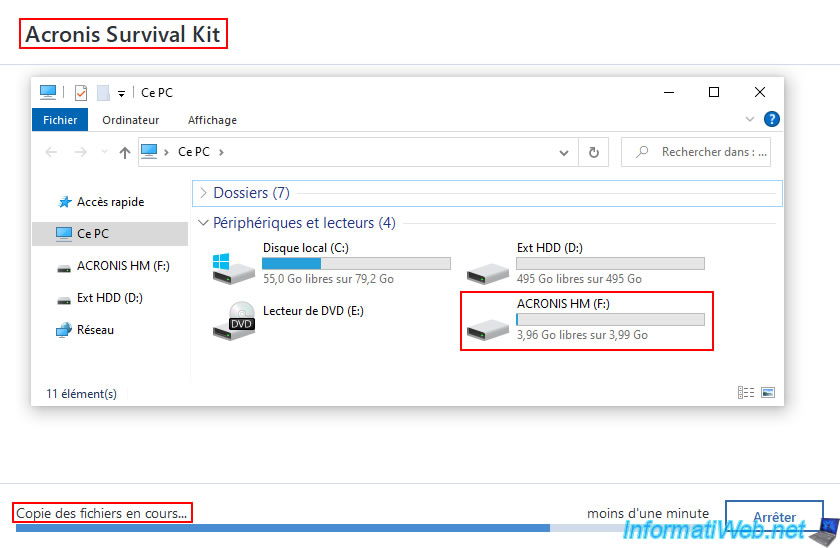
Create bootable media to start your computer after a failure. Options include USB drives or external hard disks. The wizard helps format and prepare the media. It copies all necessary files to make your system bootable. Test the bootable media to ensure it works before an emergency.
Credit: us.informatiweb.net
Testing Your Survival Kit
Testing your Acronis Survival Kit is a crucial step that many overlook. It ensures your backup drive will actually work when you need it most. Taking the time to test now can save you hours of frustration and potential data loss later.
Booting From The External Drive
First, confirm that your computer can boot directly from the external Acronis Survival Kit drive. Restart your PC and enter the BIOS or boot menu (usually by pressing F12, F2, or DEL during startup).
Choose the external drive as the boot device and watch closely for any error messages. If the system successfully boots into the recovery environment, your survival kit is functioning as intended.
Have you ever faced a situation where your backup drive wasn’t recognized during an emergency? Testing this now avoids that nightmare.
Verifying Backup Integrity
Next, verify that the backup files on your survival kit are intact and uncorrupted. Open Acronis True Image and use the built-in “Validate Backup” feature.
This process scans the backup file to ensure it can be restored without issues. If validation fails, it’s a signal to create a fresh backup immediately.
Think about the last time you restored data. Did you check if your backup was complete beforehand? Validation guarantees your survival kit is truly ready.
Maintaining And Updating The Kit
Maintaining and updating your Acronis Survival Kit is essential to ensure it remains reliable when you need it most. Simply creating the kit once isn’t enough; regular care keeps your backups current and your recovery tools ready. Ignoring this can leave you stranded during a critical data loss event.
Regular Backup Schedule
Set a clear backup schedule that fits your data change frequency. If your files update daily, consider backing up at least every 24 hours. Less frequent backups risk losing important updates, while overly frequent backups can slow your system.
Use Acronis’s scheduling features to automate backups. This prevents you from forgetting the task and guarantees consistent data protection. Are you tracking how recent your last backup is? Checking this regularly helps avoid surprises.
Keep multiple backup versions if possible. This lets you restore data from different points in time, which can be a lifesaver if recent backups are corrupted. Plan storage space accordingly to avoid running out of room.
Updating Software And Media
Always keep your Acronis software up to date. Updates often include important security patches and new features that improve backup performance. Outdated software could cause backup failures or leave vulnerabilities exposed.
Check your bootable media regularly. If you use USB drives or DVDs in your Survival Kit, recreate them after any major software update. Old media may not support the latest recovery environment, making it useless when you need it.
Test your bootable media occasionally by booting a test machine or virtual environment. This ensures the kit actually works and can access your backups. Have you tried this recently? It’s a quick step that saves headaches later.
Troubleshooting Common Issues
Troubleshooting common issues is important when creating an Acronis Survival Kit. Problems may arise during backup or boot processes. Fixing these quickly keeps your data safe and your system ready for emergencies. Below are solutions for frequent errors users face.
Boot Failures
Boot failures can stop your computer from starting with the Survival Kit. Causes include corrupted files or wrong boot order. Check these points to fix boot issues:
- Verify the USB or external drive is properly connected.
- Ensure the BIOS/UEFI settings have the correct boot priority.
- Recreate the Survival Kit if files are missing or damaged.
- Use Acronis tools to repair the boot sector if needed.
- Test the Survival Kit on another device to rule out hardware problems.
Backup Errors
Backup errors prevent saving data correctly in the Survival Kit. Common reasons include insufficient space or software conflicts. Try these fixes:
- Check available storage on the target drive.
- Close other programs that may interfere with Acronis.
- Update Acronis software to the latest version.
- Verify permissions for reading and writing files.
- Run a quick disk check to find and fix errors.
Frequently Asked Questions
What Is An Acronis Survival Kit?
An Acronis Survival Kit is a comprehensive backup solution. It contains system recovery tools and essential data files. This kit helps restore your system in case of failure. It’s crucial for ensuring data safety and business continuity. Creating one can prevent data loss during unexpected events.
Why Create An Acronis Survival Kit?
Creating an Acronis Survival Kit ensures data protection. It provides a reliable backup during system failures. This kit allows quick recovery from disasters. It minimizes downtime and maintains business operations. Having a Survival Kit is a proactive measure for data security.
How Do You Make An Acronis Survival Kit?
To create an Acronis Survival Kit, install Acronis software. Choose the “Survival Kit” option and follow the prompts. Select the storage location and backup files. The software will guide you through the setup process. Ensure it’s updated regularly for optimal protection.
What Does An Acronis Survival Kit Include?
An Acronis Survival Kit includes bootable media for system recovery. It contains backup data and essential system files. The kit often has recovery tools to restore functionality. It ensures you have everything needed for a system reboot. Regular updates enhance its effectiveness.
Conclusion
Creating an Acronis Survival Kit protects your data and system. It helps you recover quickly during a crash or failure. Follow simple steps to build the kit and keep it updated. Store it safely and test it now and then.
This small effort can save you from big problems later. Stay prepared and keep your important files secure. Your data safety depends on how ready you are.