Are you curious if your Gear S3 can help you keep an eye on your sleep? Understanding how well you rest is key to feeling energized and staying healthy.
But does the Gear S3 really track your sleep accurately? If you want to know what this smartwatch can do for your nightly rest and whether it’s worth using for sleep tracking, you’re in the right place. Keep reading to discover everything you need to know about the Gear S3 and sleep tracking.
Gear S3 Sleep Tracking Features
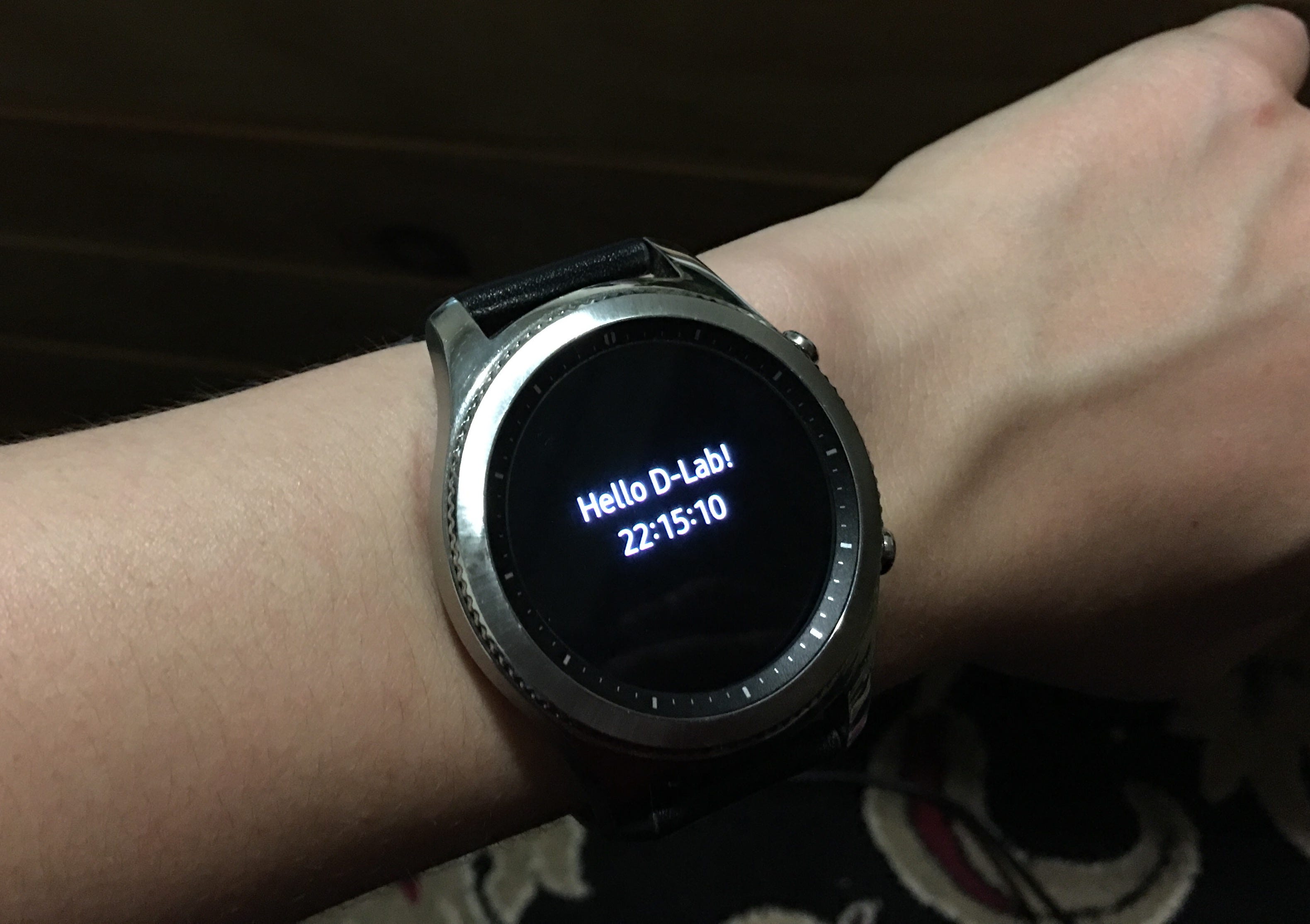
The Gear S3 offers sleep tracking features designed to help you understand your sleep patterns better. It uses a combination of sensors to monitor your movements and physiological signals throughout the night. Knowing how these features work can help you decide if the Gear S3 fits your sleep tracking needs.
Sensors Used For Sleep Monitoring
The Gear S3 primarily uses an accelerometer to detect your movements during sleep. This sensor tracks how much you toss and turn, giving clues about your restlessness. Additionally, it uses a heart rate sensor to monitor your pulse, which can indicate different sleep stages.
By combining data from these sensors, the watch estimates your sleep quality. Have you ever wondered how much your heart rate affects your sleep score? The Gear S3 tries to provide that insight by measuring it continuously.
Types Of Sleep Data Recorded
The Gear S3 records several types of sleep data to give you a full picture of your night. It tracks total sleep duration, showing how many hours you actually rest. It also breaks down your sleep into light and deep sleep phases.
Besides duration and sleep stages, the watch notes periods of wakefulness. This helps identify if you frequently wake up during the night. You get a detailed summary that helps you understand where your sleep might be disrupted.
Credit: medium.com
How To Enable Sleep Tracking On Gear S3
Enabling sleep tracking on the Gear S3 helps monitor your rest and improve sleep quality. The watch uses built-in sensors to track movements and sleep stages. Setting up this feature is simple and customizable. Follow these steps to start tracking your sleep effectively.
Setting Up Sleep Mode
Open the Samsung Health app on your Gear S3. Scroll to the sleep section and tap it. Enable the sleep tracking option to activate the feature. The watch will now monitor your sleep automatically at night. Make sure to wear the watch comfortably while sleeping. You can also set a sleep schedule to match your bedtime.
Customizing Sleep Preferences
Adjust sleep tracking settings in the Samsung Health app on your phone. Set your usual sleep and wake times for accurate tracking. Choose if you want silent alarms to wake you gently. Enable or disable notifications during sleep mode. You can view detailed reports on sleep quality, duration, and stages. Customize alerts to remind you to prepare for bedtime.
Accuracy Of Gear S3 Sleep Tracking
The Samsung Gear S3 has garnered attention for its comprehensive features, one of which is sleep tracking. But how accurate is it? Understanding the accuracy of the Gear S3’s sleep tracking feature is crucial for anyone relying on it to monitor and improve their sleep patterns. Whether you’re using it to track your nighttime rest or power naps, the reliability of its data can significantly impact your health and lifestyle choices.
Comparison With Other Devices
When comparing the Gear S3 with other popular sleep-tracking devices, such as Fitbit or the Apple Watch, the differences in data can be intriguing. Many users have noted that the Gear S3 tends to accurately capture the duration of sleep but might occasionally misjudge the sleep stages, like REM and deep sleep. This variance is often due to the algorithms used by different brands.
For example, some users report that while the Gear S3 might indicate a shorter deep sleep duration compared to Fitbit, the overall sleep score remains similar. This raises the question: is it the specific sleep stages or the total sleep quality that matters to you?
User Experiences And Reviews
Real-world experiences and user reviews provide valuable insights into the Gear S3’s sleep tracking accuracy. Many users appreciate the ease of use and the straightforward data presentation. Some have shared their personal stories, noting improvements in their sleep quality after identifying poor sleep patterns.
However, a few users have mentioned discrepancies, particularly when compared to manual sleep logs. If you’re someone who values precise data, you might want to cross-reference the Gear S3’s readings with other sources. Does the Gear S3 meet your expectations, or do you find yourself questioning its accuracy?
Your experience with the Gear S3 could be unique. Engaging with online communities or discussing with fellow users might help you uncover tips to maximize its potential. Have you found any tricks to improve its accuracy?

Credit: www.amazon.com
Analyzing Sleep Data On Gear S3
The Gear S3 offers sleep tracking features that help monitor your rest quality. After wearing the device to bed, it records your sleep stages and duration. Analyzing this data helps understand your sleep habits and improve your nightly routine.
Reviewing sleep data is simple using the Samsung Health app and provides clear insights into your sleep patterns.
Using Samsung Health App
Sync your Gear S3 with the Samsung Health app on your phone. The app collects all sleep data recorded by the watch. It shows total sleep time, deep sleep, light sleep, and awake periods.
The app displays data in easy-to-read graphs and charts. You can check your sleep quality over days, weeks, or months. This helps spot trends and changes in your sleep habits.
Interpreting Sleep Patterns
Sleep data breaks down your night into stages. Deep sleep is important for body recovery. Light sleep helps with memory and learning. Awake time shows how often you wake up at night.
Look for longer deep sleep and fewer awake moments for better rest. Consistent sleep times lead to healthier patterns. Use this information to adjust bedtime and improve sleep quality.
Limitations And Challenges
While the Gear S3 offers sleep tracking features, it’s important to understand its limitations and challenges. These can affect how accurately it monitors your sleep and how convenient it is to use every night. Being aware of these issues helps set realistic expectations and decide if this device fits your sleep tracking needs.
Common Issues Reported
Many users notice that the Gear S3 sometimes struggles to distinguish between light rest and actual sleep. This can lead to inaccurate sleep duration reports.
Occasionally, the watch might miss short naps or restless moments during the night. Some users also find the sleep data less detailed compared to dedicated sleep trackers.
Have you ever woken up wondering if your watch correctly tracked your sleep stages? This inconsistency can be frustrating when you rely on precise data for improving your sleep habits.
Battery Life Impact
Tracking sleep on the Gear S3 requires the device to stay active overnight, which can drain the battery faster than usual. You might find yourself charging the watch more often, which could be inconvenient.
If you use other features like notifications and fitness tracking during the day, running sleep tracking at night could leave your battery low by morning. Planning your charging schedule becomes essential.
Would you rather prioritize continuous sleep tracking or longer daily use without frequent charging? This trade-off is something to consider before relying on the Gear S3 for nightly monitoring.
Tips To Improve Sleep Tracking Results
Improving sleep tracking results on the Gear S3 helps you understand your rest better. Small changes make a big difference in accuracy. Follow simple tips to get clearer sleep data.
Wearing The Watch Correctly
Wear the Gear S3 snugly on your wrist, but not too tight. The sensor must touch your skin for accurate readings. Avoid wearing it over loose clothing or jewelry.
Keep the watch on the same wrist every night. This consistency helps the device learn your patterns. Also, clean the sensor area regularly to remove dirt and sweat.
Optimizing Settings For Better Accuracy
Set the Gear S3 to sleep mode before going to bed. This tells the device to track your rest without interruptions. Enable heart rate monitoring for better tracking results.
Update the watch software regularly. New updates improve tracking features and fix bugs. Enter your correct height, weight, and age in the Samsung Health app. This data helps the watch analyze your sleep more precisely.
Alternatives For Enhanced Sleep Tracking
Sleep tracking on the Gear S3 has some limits. It offers basic monitoring but lacks detailed insights. Many users want richer data to understand their sleep patterns better. There are several ways to improve sleep tracking beyond the Gear S3’s built-in features.
Exploring other Samsung devices or adding third-party apps can help. These options provide more accurate and detailed sleep reports. Users can choose what fits their needs and budget for better sleep health.
Other Samsung Devices
Samsung offers wearables with advanced sleep tracking. Devices like the Galaxy Watch 4 and Galaxy Watch 5 provide detailed sleep stage analysis.
- Track light, deep, and REM sleep phases
- Measure blood oxygen levels during sleep
- Provide personalized sleep tips
- Sync data easily with Samsung Health app
These devices use newer sensors and software than the Gear S3. They deliver more precise sleep data for better health insights.
Third-party Apps Compatible With Gear S3
Third-party apps can enhance sleep tracking on the Gear S3. They offer features missing in the default software.
- Auto sleep detection and detailed sleep graphs
- Smart alarms to wake you gently
- Sleep quality scores and trends
- Integration with other health apps
Popular apps include Sleep as Android and AutoSleep. These apps use Gear S3 sensors and add smart analysis. Installing third-party apps helps turn your Gear S3 into a better sleep tracker.

Credit: upgrademystatus.com
Frequently Asked Questions
Does The Gear S3 Support Sleep Tracking Features?
Yes, the Gear S3 supports basic sleep tracking. It monitors sleep duration and quality using built-in sensors. However, its sleep analysis is less detailed than newer models or specialized devices.
How Accurate Is Gear S3 Sleep Tracking Data?
Gear S3 provides reasonably accurate sleep duration tracking. It uses motion and heart rate sensors but may lack detailed sleep stage accuracy. For precise sleep insights, consider dedicated sleep trackers or advanced smartwatches.
Can I View Sleep Reports On The Gear S3?
Yes, you can view sleep summaries on the Gear S3. The device syncs sleep data to the Samsung Health app, where you get detailed reports and trends over time.
Is Gear S3 Good For Tracking Deep Sleep?
The Gear S3 tracks total sleep but has limited ability to detect deep sleep stages. Its sleep tracking mainly focuses on overall rest periods rather than detailed sleep phases.
Conclusion
The Gear S3 offers basic sleep tracking features. It records your sleep duration and quality. While it may not have advanced tracking, it still helps monitor rest. This makes it useful for those wanting simple sleep insights. For detailed sleep data, other devices might work better.
Still, the Gear S3 provides helpful information for everyday use. It supports better sleep habits by showing your patterns. Overall, it suits users seeking easy and quick sleep tracking.