
Have you ever wondered what your Samsung Gear Fit sleep data really means? You wear the device every night, but looking at all those numbers and charts can feel confusing.
Understanding your sleep patterns is key to improving how you feel during the day. You’ll learn how to read your Gear Fit’s sleep data clearly and easily. By the end, you’ll know exactly what to focus on to get better rest and wake up refreshed.
Keep reading to unlock the secrets your sleep tracker is trying to tell you.
Samsung Gear Fit Sleep Tracking Features
The Samsung Gear Fit offers detailed sleep tracking features that help users understand their sleep quality. It monitors various sleep stages and patterns to provide insights. The device collects data automatically as you wear it during sleep. This data helps identify areas to improve your rest and overall health.
Types Of Sleep Data Recorded
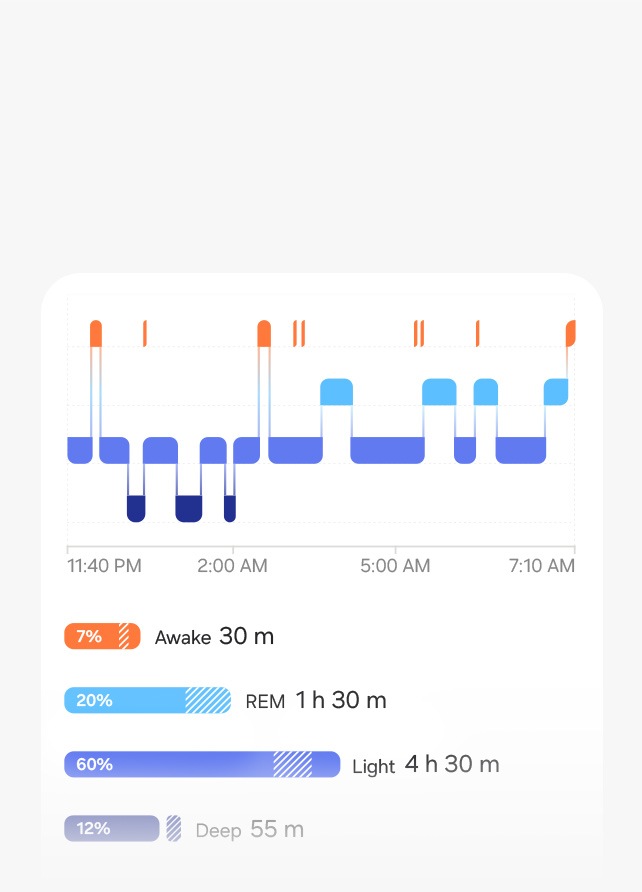
The Gear Fit records several key sleep metrics. It tracks total sleep time, deep sleep, light sleep, and REM sleep. The device also notes the number of times you wake up at night. Restlessness during sleep is measured to show sleep quality. These data points appear clearly in the Samsung Health app for easy review.
- Total Sleep Duration
- Deep Sleep Duration
- Light Sleep Duration
- REM Sleep Duration
- Awake Times
- Restlessness Levels
How Sensors Capture Sleep Patterns
The Gear Fit uses built-in sensors to track sleep automatically. An accelerometer detects your movement and body position. Less movement usually means deeper sleep stages. The heart rate sensor monitors your pulse to estimate sleep phases. Changes in heart rate help identify REM and deep sleep. These sensors work together to give a full picture of your sleep cycles.
Credit: www.samsung.com
Reading Your Sleep Duration
Reading your sleep duration on the Samsung Gear Fit helps you understand your rest better. It shows how long you sleep and how long you spend in bed. This data helps you improve your sleep habits and feel more refreshed each day.
Total Sleep Time Vs. Time In Bed
Total sleep time is the actual time your body spends sleeping. Time in bed means the total time from when you lie down to when you get up. These two numbers often differ because it takes time to fall asleep and moments you wake up during the night.
For example, you might spend eight hours in bed but only sleep for seven hours. The difference shows how much time you were awake but still in bed. Understanding this gap helps you see if you need to improve your sleep quality or bedtime routine.
Ideal Sleep Length For Different Ages
Sleep needs change as you grow. Children and teenagers usually need more sleep than adults. Older adults may need slightly less, but good sleep remains essential at every age.
| Age Group | Recommended Sleep Hours |
|---|---|
| Children (6-12 years) | 9-12 hours |
| Teenagers (13-18 years) | 8-10 hours |
| Adults (18-64 years) | 7-9 hours |
| Older Adults (65+ years) | 7-8 hours |
Use these numbers as a guide to compare with your Samsung Gear Fit data. Aim to meet your age’s ideal sleep length for better health and energy.
Analyzing Sleep Stages
Samsung Gear Fit shows different sleep stages like light, deep, and REM sleep. Understanding these stages helps track sleep quality and patterns. Check the data to see how long you spend in each stage for better rest insights.
Understanding the sleep data from your Samsung Gear Fit can significantly enhance your sleep quality. By analyzing sleep stages, you can gain insights into your nightly rest patterns, helping you improve your health and well-being. Let’s explore how to interpret these sleep stages effectively.Light Sleep And Its Role
Light sleep serves as a transitional phase, bridging the gap between wakefulness and deeper stages of sleep. It plays a critical role in maintaining your overall sleep cycle, accounting for the majority of your sleep time. During light sleep, your body processes memories and emotions, helping you wake up feeling refreshed.Deep Sleep Benefits
Deep sleep is essential for physical renewal and growth. It’s the stage where your body repairs tissues, builds bone and muscle, and strengthens the immune system. If you’re finding it hard to wake up feeling energized, increasing deep sleep might be the key.Rem Sleep Importance
REM sleep is where most dreaming occurs, and it is vital for cognitive functions like memory and learning. This stage supports emotional regulation and creativity. Are you experiencing difficulties with focus or mood? Enhancing your REM sleep could offer the solution you need. By understanding these stages, you can make informed decisions about your sleep habits. Adjust your bedtime routine to optimize these stages, and you may notice a significant improvement in your daily energy and mood.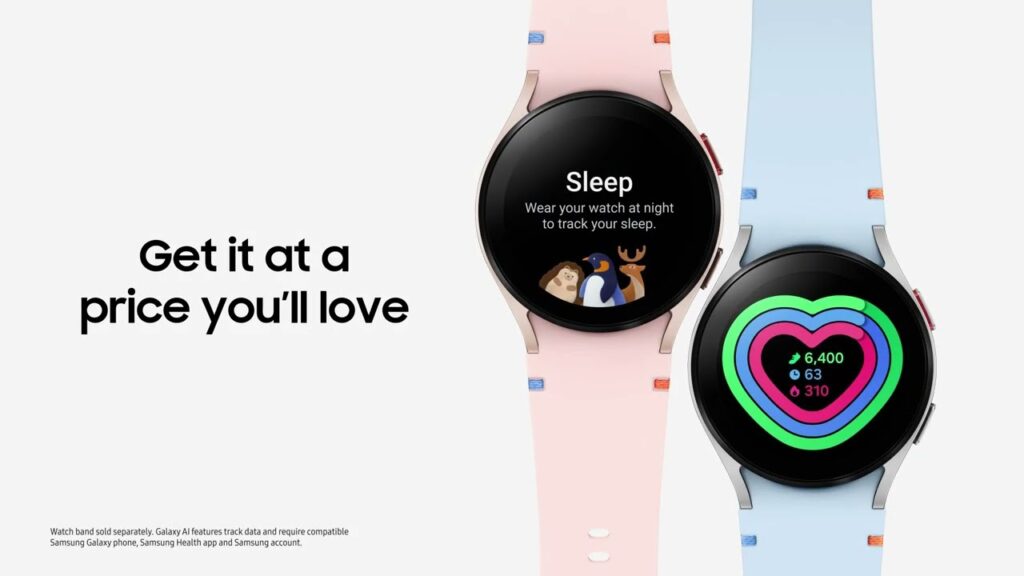
Credit: insights.samsung.com
Interpreting Sleep Quality Scores
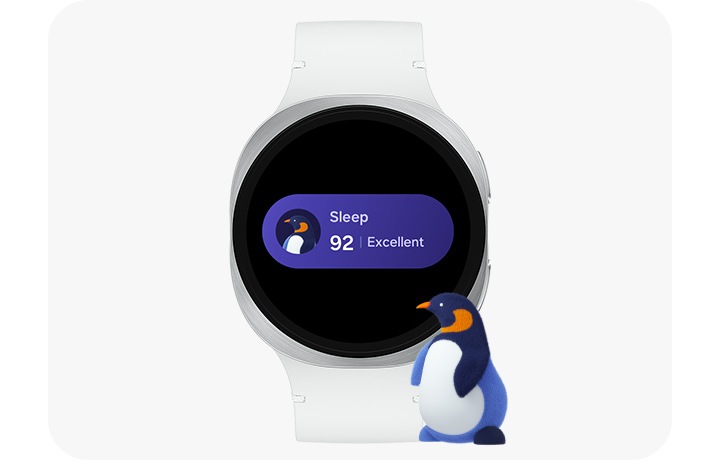
Understanding your Samsung Gear Fit sleep quality scores helps you see how well you rest each night. These scores show how deep and restful your sleep was. They combine different factors like sleep stages, movement, and heart rate. Knowing what these scores mean can guide you to better sleep habits.
What Affects Your Score
Several things can change your sleep quality score. Your time in deep sleep and REM sleep matters a lot. Moving a lot during sleep can lower your score. A fast or irregular heart rate also affects it. Stress and caffeine can make your sleep lighter. Your sleep environment, like noise or light, plays a role too.
- Amount of deep sleep and REM sleep
- Body movements during sleep
- Heart rate patterns
- Stress levels
- Sleep environment (noise, light, temperature)
Improving Low Sleep Scores
Improving your score starts with better sleep habits. Try to keep a regular sleep schedule. Avoid caffeine and heavy meals before bed. Create a dark, quiet, and cool room for sleeping. Relax your mind with calm activities before sleep. Limit screen time to help your body prepare for rest.
- Go to bed and wake up at the same time daily
- Cut caffeine at least 4-6 hours before sleep
- Keep your bedroom dark and quiet
- Practice relaxation like reading or gentle stretching
- Turn off screens an hour before bedtime
Spotting Sleep Disruptions
Spotting sleep disruptions is key to understanding your sleep quality. The Samsung Gear Fit tracks your rest and shows where interruptions occur. These disruptions can affect how refreshed you feel each day. Knowing how to read this data helps you improve your sleep habits.
Detecting Wake Times
The Gear Fit records moments when you wake during the night. These wake times appear as short gaps or spikes in the sleep graph. Frequent or long wake periods suggest trouble staying asleep. Note the time and length of each wake to identify patterns.
Use this data to see if your sleep is broken up often. More wake times mean less deep sleep and less rest. Try to reduce factors that cause waking, like noise or light.
Recognizing Restlessness Patterns
Restlessness shows as movement during sleep. The Gear Fit detects these shifts and marks them on the sleep timeline. Restless periods may mean you toss and turn a lot. This can prevent you from reaching deep, restful sleep stages.
Look for clusters of restlessness that repeat nightly. They may indicate discomfort or stress. Tracking these patterns helps you find what disrupts your sleep and how to fix it.
Using Data To Adjust Sleep Habits
Using your Samsung Gear Fit sleep data to adjust your sleep habits can lead to noticeable improvements in how rested and energized you feel. The data reveals patterns about your sleep stages, interruptions, and overall quality. This insight helps you make small, targeted changes that can have a big impact on your sleep health.
Optimizing Bedtime And Wake Time
Your Gear Fit tracks when you fall asleep and wake up, along with how long you spend in deep, light, and REM sleep. Look for consistent times when you naturally fall asleep and wake up without alarms. Aligning your sleep schedule closer to these natural rhythms can reduce grogginess and improve alertness.
Try adjusting your bedtime by 15-minute increments based on the data. If you notice frequent awakenings at a certain time, consider what might be causing the disruption. Are you going to bed too late or waking up too early? Small shifts can make a big difference in uninterrupted sleep.
Creating A Better Sleep Environment
Sleep data can also hint at environmental factors affecting your rest. For instance, if your device shows restless sleep or frequent wake-ups, assess your bedroom conditions. Is your room too warm, noisy, or bright? These factors often cause fragmented sleep without you realizing it.
- Lower the room temperature to between 60-67°F (15-19°C) for better sleep quality.
- Use blackout curtains or eye masks to block out light.
- Try white noise machines or earplugs to reduce disruptive sounds.
- Limit screen time before bed to decrease blue light exposure.
Ask yourself: Have you noticed patterns in your sleep data that coincide with your bedroom setup? Adjusting your environment based on what the data tells you can transform restless nights into refreshing sleep.
Integrating Sleep Data With Health Goals
Integrating your Samsung Gear Fit sleep data with your health goals can transform how you understand rest and recovery. It’s not just about seeing numbers on a screen; it’s about connecting those numbers to your daily habits and long-term wellness targets. When you align your sleep patterns with your health ambitions, you gain clearer insights into what works and what needs adjustment.
Tracking Progress Over Time
Sleep data is most powerful when viewed over days, weeks, or months. Your Gear Fit stores detailed history, letting you spot trends like consistent early wake-ups or restless nights. By reviewing these patterns, you can identify if your current sleep routine supports your energy levels and productivity.
Ask yourself: Are you waking up refreshed or dragging through the day? If your sleep quality dips, you can experiment with changes such as adjusting your bedtime or reducing screen time before sleep. Tracking this progress shows what really helps improve your rest, making your health goals more achievable.
Combining Sleep And Activity Insights
Your sleep data gains extra meaning when combined with your daily activity records. The Gear Fit tracks workouts, steps, and heart rate, which all influence how well you sleep. For example, a day with intense exercise might lead to deeper sleep, while too little movement can cause restlessness.
Look for connections between your physical activity and sleep quality. Do you sleep better after a morning run or a light walk? Use these insights to design balanced days that promote better rest and recovery. Balancing activity and sleep isn’t a one-size-fits-all—your Gear Fit helps you discover what works best for your body.
Credit: www.samsung.com
Frequently Asked Questions
What Does Samsung Gear Fit Sleep Data Show?
Samsung Gear Fit tracks your sleep stages, duration, and quality. It records light, deep, and REM sleep phases. This helps you understand your sleep patterns and overall rest quality for better health insights.
How To Read Sleep Score On Gear Fit?
The sleep score summarizes your sleep quality based on duration, movement, and restfulness. A higher score means better sleep. Use it to identify sleep improvements or issues over time easily.
Can Gear Fit Detect Sleep Disturbances?
Yes, Gear Fit detects sleep interruptions like waking or tossing. It tracks restless periods and helps identify factors affecting your sleep quality. This data supports better sleep habits.
How Accurate Is Samsung Gear Fit Sleep Tracking?
Gear Fit provides fairly accurate sleep data using motion and heart rate sensors. However, it may not be as precise as medical devices. Use it as a helpful, general guide to your sleep health.
Conclusion
Understanding your Samsung Gear Fit sleep data helps improve your rest. Track patterns to see how well you sleep each night. Notice changes in deep and light sleep stages. Use this information to adjust your bedtime habits. Small changes can lead to better sleep quality.
Consistent tracking gives a clearer picture over time. Stay patient and keep checking your data regularly. Better sleep supports your health and daily energy. Sleep well, feel better, live healthier.

