Are you stuck in survival mode in Fallout Shelter and tired of just barely getting by? You’re not alone.
Many players find themselves overwhelmed, constantly struggling to keep their vault running without real progress. But what if you could break free from that cycle? Imagine having a thriving vault, full of happy dwellers and steady resources, where you’re in control—not just reacting to emergencies.
You’ll discover simple, practical steps to switch out of survival mode and start building the vault you’ve always wanted. Ready to take control and enjoy the game on a whole new level? Let’s dive in.
Recognize Survival Mode Signs
Recognizing the signs of survival mode in Fallout Shelter helps you improve your gameplay. Survival mode pushes your vault to its limits. You need to spot the warning signs early to keep your vault safe and efficient.
These signs show your vault is struggling. By noticing them, you can take action to restore balance. Let’s explore the key indicators that your vault is stuck in survival mode.
Low Resources And Frequent Alerts
Resources run low fast in survival mode. Power, food, and water supplies drop quickly. Alerts pop up often about shortages or attacks. These warnings mean your vault isn’t producing enough. Without fixing this, your dwellers will suffer.
- Power rooms often go offline.
- Food and water levels remain dangerously low.
- Constant alerts about resource shortages disturb gameplay.
- Resource production cannot keep pace with consumption.
Dweller Stress And Health Issues
Stress rises sharply for dwellers in survival mode. They face hunger, thirst, and attacks. Stress lowers their work efficiency and health. You will notice more sick or injured dwellers. Keeping them happy and healthy is tough but vital.
- Dwellers frequently need medical treatment.
- Stress bars fill quickly after attacks or shortages.
- Productivity drops as dwellers become less effective.
- High stress can lead to death if ignored.
Optimize Resource Management
Optimizing resource management in Fallout Shelter is key to moving beyond mere survival. Without careful control over your power, food, and water, your vault can quickly spiral into chaos. By mastering these resources, you create a stable environment where your dwellers can thrive and your vault can expand confidently.
Balancing Power, Food, And Water
Power, food, and water are the lifeblood of your vault. You need just the right amount of each to keep your dwellers healthy and productive. Too little power causes rooms to shut down, starving your vault of progress, while food and water shortages lead to unhappy and sick dwellers.
Start by monitoring your consumption versus production closely. If you notice power dipping, prioritize building or upgrading power generators before adding more rooms. Similarly, food and water production should always meet or slightly exceed your dwellers’ needs, especially as your population grows.
Ask yourself: Are you reacting to shortages or anticipating them? Planning ahead means you can avoid emergency scrambles that hurt your vault’s growth.
Upgrading Resource Rooms
Upgrading resource rooms is a smart way to boost efficiency without taking up extra space. A level 2 diner or water treatment room produces significantly more than a level 1, which means fewer rooms to manage and less power drained from your vault.
When you upgrade, focus first on rooms that serve the largest population or are critical bottlenecks. For example, upgrading your power generator early on can prevent blackouts that halt all production.
Remember that upgrading requires caps and time, so plan your upgrades around your vault’s immediate needs. You don’t want to spend caps on upgrades when you desperately need new rooms or weapons for defense.
Have you noticed that sometimes holding back on building new rooms and investing in upgrades first can actually speed up your vault’s growth? It’s all about making your resources work smarter, not harder.
Improve Dweller Efficiency
Improving dweller efficiency is key to moving out of survival mode in Fallout Shelter. Every dweller has unique strengths that can boost your vault’s productivity when used correctly. By focusing on their skills and growth, you’ll see faster resource generation and smoother vault operations.
Assigning Roles Based On Stats
Each dweller has seven stats known as S.P.E.C.I.A.L.: Strength, Perception, Endurance, Charisma, Intelligence, Agility, and Luck. Assign them to rooms that match their highest stats to maximize output.
- Strength is best for power plants.
- Perception works well in water treatment facilities.
- Endurance helps with health and survival-related tasks.
- Charisma speeds up breeding and trading.
- Intelligence increases efficiency in medbays and science labs.
- Agility boosts food production in diners and gardens.
- Luck improves overall resource yield and caps rewards.
I once placed a dweller with high Intelligence in a power plant by mistake. The production dropped, and I quickly realized matching stats to roles isn’t optional; it’s essential. Are you assigning your dwellers to jobs that truly fit their abilities?
Training And Leveling Up
Training your dwellers raises their S.P.E.C.I.A.L. stats and unlocks new potential. Use training rooms to boost specific stats, making your team stronger and more versatile.
- Build dedicated training rooms like the Weight Room (Strength) and Classroom (Intelligence).
- Send dwellers to training even if they’re already skilled; every point counts.
- Level up dwellers by completing quests and exploring the wasteland to increase their overall effectiveness.
When I prioritized training, I noticed quicker room completion and better survival rates during incidents. How often do you invest time in leveling your dwellers instead of rushing new recruits?

Credit: www.reddit.com
Expand And Secure The Vault
Expanding and securing your vault is key to moving beyond survival mode in Fallout Shelter. Without growth and protection, your vault can quickly become overwhelmed by resource shortages and external threats. Focusing on smart expansion and strong defense will help you create a thriving underground community.
Vault Expansion Strategies
Adding new rooms is essential for increasing your vault’s capacity and resource production. Prioritize building power generators and water treatment plants early, as these resources keep everything running smoothly.
Stack rooms vertically to save space and improve efficiency. For example, placing living quarters above resource rooms allows dwellers to reach essential areas faster.
Don’t forget to train your dwellers in SPECIAL stats to boost room productivity. Investing in training rooms can pay off by making each resource cycle more effective.
- Plan your layout to minimize travel time between rooms
- Balance resource production with storage upgrades to avoid shortages
- Expand gradually to keep your population manageable
Defending Against Threats
Raiders, radroaches, and fires can cripple your vault if you’re unprepared. Train your dwellers in combat and equip them with the best weapons you have available.
Assign your strongest fighters to rooms near the vault entrance, where most attacks happen. This frontline defense can stop threats before they spread inside.
Keep your vault’s happiness high, as unhappy dwellers perform poorly in battles. Regularly check on your dwellers’ moods and assign them to tasks they enjoy whenever possible.
- Upgrade your vault door to increase defense
- Use medbays and cafeterias to heal and boost dweller health
- Stay alert—random incidents can occur anytime, so be ready to respond quickly
Explore The Wasteland Strategically
Exploring the wasteland is key to growing your vault in Fallout Shelter. It offers valuable resources and experience to your dwellers. Doing this carefully keeps your vault safe and your dwellers strong.
Equipping And Preparing Dwellers
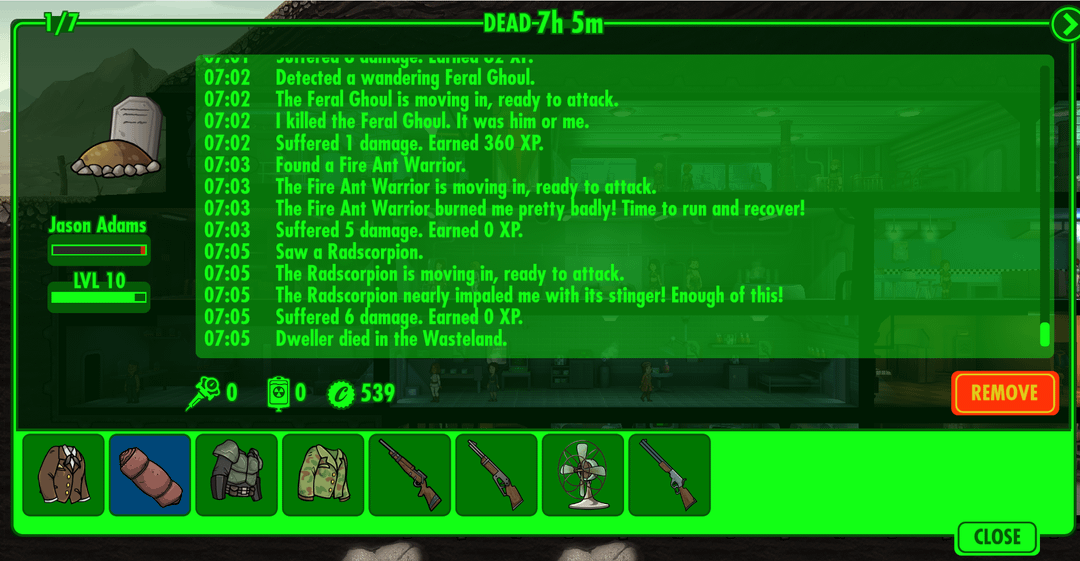
Choose dwellers with high endurance and luck for wasteland trips. Give them the best weapons and outfits available. Stock up on Stimpaks and RadAways for healing and radiation removal. Set a time limit for exploration based on their gear and health. Send only one dweller at a time for better control and safety.
Maximizing Loot And Experience
Longer exploration trips yield more loot and experience points. Check dwellers often to prevent death and collect items. Bring back useful gear to improve your vault’s defenses. Use high-luck dwellers to increase rare item finds. Focus on upgrading weapons and outfits with the loot gathered.

Credit: www.youtube.com
Leverage Game Features And Updates
Leverage game features and updates to ease your way out of survival mode in Fallout Shelter. The developers frequently add new content and mechanics. These changes offer fresh chances to improve your vault and your dwellers’ lives.
Using these features well can boost your resources and give you better control. It helps keep the gameplay interesting and less stressful.
Using Lunchboxes And Rewards
Lunchboxes hold valuable items and resources. They often contain caps, weapons, outfits, and rare dwellers. Use them wisely to strengthen your vault’s defenses and productivity.
Completing quests and daily objectives earns you rewards. These rewards help you build faster and keep your dwellers happy. Collect them regularly to avoid missing out.
Store lunchboxes for moments when you need a quick boost. This strategy can prevent resource shortages and keep your vault stable.
Adapting To New Mechanics
Game updates introduce new rules and systems. Learn these changes quickly to keep up with the game’s pace. Adjust your strategies based on new features.
For example, new rooms or events might require different resource management. Plan your vault layout to fit these updates.
Stay flexible and open to change. This attitude helps you avoid being stuck in survival mode for long.

Credit: www.reddit.com
Frequently Asked Questions
How Do I Stop Survival Mode In Fallout Shelter?
To exit survival mode, complete all objectives and defeat the final wave of enemies. Maintain your dwellers’ health and resources. Progress through the story missions until the game indicates survival mode has ended.
What Strategies Help Switch Out Of Survival Mode?
Focus on resource management and dweller training. Upgrade rooms for better efficiency and equip dwellers with strong weapons. Balance exploration and defense to prevent resource depletion and increase your vault’s strength.
Can Upgrading Vault Rooms End Survival Mode Faster?
Yes, upgrading vault rooms boosts resource production and dweller efficiency. Stronger rooms help meet survival objectives quickly. Prioritize power, food, and water rooms to stabilize your vault and progress faster.
Why Is Dweller Health Important In Survival Mode?
Healthy dwellers survive longer against attacks and explore better. Keep dwellers healed using Stimpaks and assign them to suitable tasks. Maintaining health prevents setbacks and helps complete survival challenges efficiently.
Conclusion
Switching out of survival mode in Fallout Shelter takes patience and focus. Keep managing your resources carefully. Train your dwellers and plan your rooms well. Watch your vault grow stronger day by day. Small steps lead to big progress. Stay calm and enjoy the game.
Soon, survival feels less like a struggle. Your vault will thrive and expand with ease. Keep playing smart and have fun.


